

Our Blog
Insights, stories, and expertise from our team on Spatial Computing, AI, and the Industrial Metaverse.

Revit to AR for Construction Sites: How BIM Models Improve On-Site Visualization
Construction projects are becoming increasingly digital, but one challenge remains: connecting what exists in the BIM model with what is actually happening on the construction site. An architect may be looking at a detailed Revit model on a workstation. A contractor may be working from drawings. An engineer may be checking services on-site. A project manager may be comparing progress against the planned design. Everyone is working with the same project, but they may not always experience the information in the same way. This is where Revit-to-AR workflows can make a practical difference. By bringing selected information from a Revit model into an augmented reality environment, construction teams can view digital building elements in the context of the physical site. Instead of switching constantly between drawings, screens, and the physical building, users can see relevant digital information over or alongside the real environment. This approach is becoming an important part of BIM augmented reality, particularly for construction visualization, design communication, coordination, inspections, and stakeholder presentations. In this guide, we will look at how a Revit model-to-AR workflow works, where AR can be useful on construction sites, its benefits and limitations, and how organizations can approach BIM-based AR implementation. What Is Revit to AR? Revit to AR refers to the process of taking building information and 3D geometry created in Autodesk Revit and presenting selected elements through an augmented reality experience. Revit is widely used for BIM-based architectural, structural, and MEP design. A Revit model can contain much more than a visual representation of a building. It can include walls, doors, windows, structural elements, ducts, pipes, equipment, materials, spaces, and other project information. AR adds another layer to this model. Instead of viewing the building model only on a computer screen, a project team can potentially see selected digital elements in relation to the physical construction environment. For example, imagine standing inside a partially constructed office floor and viewing the planned position of an MEP service route through an AR-enabled device. The digital model can provide a visual reference for understanding where the planned element is expected to be located. The exact capabilities depend on the AR platform, device, model preparation, positioning technology, and project workflow. How Does a Revit Model to AR Workflow Work? There is no single workflow that applies to every construction project. However, a typical Revit model-to-AR process follows several stages. 1. Prepare the Revit Model The first step is to make sure the Revit model is suitable for the intended AR application. A detailed BIM model may contain thousands of components that are not necessary for a particular site activity. For example, a contractor reviewing ceiling services may not need every furniture item or interior finish visible. The team can therefore identify which elements are relevant to the AR experience. The model should also be checked for: Correct geometry Appropriate project coordinates Current design revision Required building elements Correct visibility settings Unnecessary model detail Relevant BIM information This preparation is important because an AR experience is only as useful as the information behind it. 2. Select the Required Building Information The next step is deciding what the site team actually needs to see. A common mistake is assuming that more information automatically makes an AR application more useful. In reality, too much information can make the experience confusing. For example, a plumbing installation review might require: Pipe routes Pipe sizes Connections Equipment locations Floor and wall references It may not require every architectural component in the building. This is why a project-specific approach to [BIM AR technology](https://www.aurainteract.com/platforms/bim-digital-twin-software) is important. 3. Convert or Connect the Model to an AR Platform Once the Revit model is prepared, it needs to be connected to an appropriate AR environment. Depending on the chosen technology, this may involve a direct connection, plugin, supported file format, or conversion workflow. The goal is to make the required BIM information available within an AR application while maintaining appropriate geometry, scale, and positioning. Different platforms support different levels of interaction. Some may focus primarily on visualization, while others may allow users to interact with model elements or access associated information. 4. Establish Accurate Positioning Positioning is one of the most important parts of AR for construction. Imagine having a perfectly modeled building but seeing the digital wall several feet away from where the physical wall should be. The visualization would immediately lose its practical value. AR systems therefore need an appropriate method for relating digital content to the physical environment. Depending on the project, positioning can involve markers, spatial mapping, sensors, survey information, GPS-based approaches, visual tracking, or other technologies. The appropriate method depends on the required accuracy and the physical environment. For detailed construction coordination, teams should not assume that consumer-level AR positioning automatically provides survey-grade accuracy. How AR Improves Construction Site Visualization One of the strongest applications of AR is making design information easier to understand directly on the site. Traditional drawings remain essential, but interpreting a two-dimensional drawing while standing in a partially completed building can sometimes be difficult. With AR construction site visualization, selected digital information can be presented in relation to the physical environment. For example, a project engineer could review the planned location of a service route while standing near the relevant installation area. This creates a more intuitive connection between: BIM model → planned design → physical construction That connection is particularly useful when several disciplines are working within the same space. Key Applications of Revit AR Visualization 1. MEP Coordination MEP systems often occupy the same ceiling and service spaces. Ducts, pipes, electrical services, fire protection systems, and other components need to coexist within limited space. Revit AR visualization can provide another way to understand these relationships on-site. A project team can use an AR experience to examine selected service routes and discuss whether the planned arrangement corresponds with the physical conditions. It does not replace formal clash detection or engineering coordination, but it can complement those processes. 2. Architectural Design Review AR can also be used to visualize architectural elements within the physical environment. For example, a client or architect could review the planned position of: Walls Doors Windows Partitions Ceiling elements Interior components Selected finishes This can make design discussions more tangible. Instead of saying, "The partition will be approximately here," the team can use a digital visualization to communicate the intended location. 3. Construction Progress Comparison Another possible application is comparing the planned model with the physical construction environment. A project team can use BIM and AR technologies to examine selected elements and discuss whether construction is progressing according to the intended design. The actual workflow depends heavily on the AR platform and project data. For projects where progress tracking is important, the BIM model may also be combined with photographs, site scans, schedules, or other project information. 4. Client and Stakeholder Communication Construction projects often involve stakeholders who are not BIM specialists. A client may not understand a technical drawing in the same way an architect does. AR can provide a more intuitive method of explaining what a space or component is expected to look like. For example, a developer visiting a construction site could view selected proposed elements through an AR experience and better understand the relationship between the existing construction and the final design. This can make project meetings more visual and easier to follow. 5. Facility and Maintenance Planning The value of BIM does not necessarily end when construction is completed. If appropriate asset information is maintained, BIM-based AR applications can potentially support facility management and maintenance activities. A technician could use an AR interface to identify equipment or understand the location of selected building services. However, this requires more than simply having a Revit model. Asset information, maintenance data, updates, and appropriate facility management workflows may also be required. BIM Augmented Reality vs Traditional Construction Drawings AR should not be viewed as a replacement for construction documentation. Drawings, specifications, schedules, engineering calculations, and approved documentation remain important parts of construction. Instead, AR can act as an additional visualization layer. | Traditional method | BIM + AR approach | | ----- | ----- | | Primarily 2D documentation | 3D digital information in context | | Users interpret drawings | Users can visually relate model elements to the site | | Requires technical understanding | Can be easier for non-technical stakeholders to understand | | Design viewed separately from site | Digital design can be viewed alongside physical conditions | | Useful for formal documentation | Useful as a visualization and communication layer | | Limited real-world spatial context | Can provide contextual spatial visualization | The two approaches can work together. What Are the Benefits of AR for Construction? The potential benefits of augmented reality in construction depend on how the technology is implemented and what problem it is solving. Better spatial understanding A 3D model viewed in context can be easier to understand than a collection of 2D drawings. Improved communication Architects, engineers, contractors, and clients can discuss the same physical location using a shared visual reference. Earlier identification of concerns AR visualization may help teams notice spatial or design issues that require further investigation before installation progresses. Easier client presentations Non-technical stakeholders can understand proposed building elements without needing extensive BIM knowledge. Better connection between BIM and the physical site AR creates a bridge between the digital model and the environment where construction is actually taking place. Realistic Example: BIM AR on a Commercial Building Consider a hypothetical 150,000-square-foot commercial building with eight floors. The project includes architectural, structural, HVAC, plumbing, electrical, and fire protection systems. During construction, the MEP team identifies a congested ceiling zone on the fifth floor. Using the BIM model, the team can isolate the relevant services and create an AR visualization focused on that area. | Project element | Example | | :---- | :---- | | Building area | 150,000 sq. ft. | | Floors | 8 | | AR review area | 5th floor | | Main focus | MEP coordination | | Relevant systems | HVAC, plumbing, electrical | | Primary users | Engineers, contractors, site managers | | AR objective | Visualize planned service locations | The team can then compare the digital design with the physical construction environment and determine whether further coordination is required. The important point is that AR does not make the engineering decision automatically. It gives the project team another visual tool for making that decision. Challenges of Revit to AR Implementation AR sounds straightforward when viewed as a demonstration, but real construction projects introduce technical challenges. Model Size Large BIM models can contain significant amounts of geometry and information. The model may need optimization before being used in an AR application. Model Accuracy If the Revit model is outdated, the AR experience may represent an earlier design. Version control is therefore critical. Positioning Accurately aligning digital content with the physical environment can be challenging, particularly on complex construction sites. Hardware AR experiences can depend on the capabilities of smartphones, tablets, head-mounted devices, tracking systems, and other hardware. Site Conditions Dust, lighting, changing structures, reflective surfaces, temporary materials, and other site conditions can affect the performance of some AR systems. These factors should be considered during implementation rather than discovered after deployment. How to Choose the Right BIM AR Technology The right technology depends on the project objective. Before selecting an AR solution, ask: 1. What problem are we trying to solve? 2. Which Revit elements need to be visualized? 3. Who will use the system? 4. Will the experience be used indoors, outdoors, or both? 5. How accurately must the digital model align with the physical environment? 6. What hardware is available? 7. How frequently will the BIM model change? 8. Does the system need BIM information in addition to 3D geometry? 9. Does the solution need collaboration features? 10. How will feedback from the AR review be incorporated into the project workflow? These questions help prevent organizations from selecting technology simply because it looks impressive. How Aura Interact Can Support AR/VR Experiences [Aura Interact](https://www.aurainteract.com/) works in immersive technologies including Augmented Reality, Virtual Reality, Mixed Reality, and interactive digital experiences. For AEC organizations, this technology can be used to explore ways of presenting BIM and building information in more interactive formats. A Revit AR visualization project may involve architectural visualization, construction site visualization, BIM-based demonstrations, stakeholder presentations, or other project-specific applications. The exact solution depends on the Revit model, the project objective, required accuracy, target hardware, and user experience. For organizations exploring BIM augmented reality, the important starting point is not simply asking which device to purchase. It is identifying where AR can provide practical value in the existing design or construction workflow. Aura Interact can be part of that conversation by helping organizations explore immersive technology applications tailored to their requirements. The Future of BIM AR Technology in Construction The construction industry is moving toward increasingly connected digital workflows. BIM, reality capture, cloud collaboration, digital twins, AR, VR, and other technologies are increasingly being considered as parts of a broader digital construction ecosystem. The future is unlikely to be about AR replacing drawings or BIM replacing experienced professionals. Instead, the opportunity lies in connecting different information sources. A future project workflow could potentially combine: Revit BIM model + AR + reality capture + project data + digital twin + collaboration This could give project teams a richer understanding of what was designed, what has been constructed, and what needs attention. The technology will continue to evolve, but the underlying principle remains simple: make useful project information available to the people who need it, in a format they can understand. Conclusion Revit to AR provides a practical bridge between digital building models and physical construction environments. By bringing selected BIM information into an augmented reality experience, architects, engineers, contractors, developers, and site teams can visualize building elements in context and communicate complex design information more clearly. The strongest applications are not necessarily the most visually impressive ones. They are the applications that solve a real project problem, whether that means reviewing MEP coordination, communicating a design change, visualizing planned construction, supporting site discussions, or helping clients understand a proposed space. A successful Revit model-to-AR workflow starts with a clean and current BIM model, continues with appropriate model preparation and positioning, and ends with a workflow that connects AR observations back to the project team. For AEC organizations exploring BIM AR technology, AR should be considered as a complement to BIM, drawings, coordination tools, and professional expertise. With the right use case and implementation strategy, augmented reality in construction can make BIM information more accessible, contextual, and useful where it matters most: on the actual project site. Frequently Asked Questions About Revit to AR What is Revit to AR? Revit to AR is the process of taking selected 3D geometry and BIM information from a Revit model and presenting it through an augmented reality environment. This allows users to view digital building information in relation to the physical environment. Can a Revit model be converted to AR? Yes. Revit models can be used within compatible AR workflows. The exact process depends on the AR platform, model format, project requirements, hardware, and desired level of interaction. How is BIM augmented reality used in construction? BIM augmented reality can be used for design visualization, MEP coordination, construction site visualization, stakeholder communication, selected inspections, and other project-specific applications. What is the difference between Revit to AR and Revit to VR? Revit to AR places digital building information into or alongside the physical environment. Revit to VR creates an immersive virtual environment where users can explore the building digitally. What is Revit AR visualization? Revit AR visualization refers to using Revit-based building models or selected BIM elements within an augmented reality experience. It can help users understand how planned building elements relate to a real physical space. Can AR replace construction drawings? No. AR is generally best considered an additional visualization and communication tool. Approved drawings, specifications, engineering documentation, surveys, and other formal project information remain important. What are the main benefits of AR for construction? The potential benefits include improved spatial understanding, better communication between project stakeholders, contextual visualization of BIM information, support for site discussions, and a more intuitive way to present selected design information. How accurate does a BIM AR model need to be? The required accuracy depends on the intended application. A marketing visualization may have different requirements from construction coordination. For tasks requiring precise positioning, appropriate surveying, registration, and professional validation are essential. What is an AR construction site workflow? An AR construction site workflow generally involves preparing a BIM model, selecting relevant elements, transferring the information into an AR application, aligning digital content with the physical environment, and using the visualization for a defined project activity. How can BIM visualization improve construction projects? BIM visualization can make complex building information easier to understand. When combined with AR, selected BIM information can be viewed in the context of the physical site, creating a stronger connection between the planned design and the construction environment.

Meta VR Glasses: What They Could Mean for BIM and the AEC Industry
At Meta Connect 2026 (September 23–24), Meta unveiled its new Meta VR Glasses, bringing full VR into a much lighter glasses-style form factor. At around 100 grams on the face, the glasses are significantly lighter than a traditional VR headset such as Meta Quest 3. The processing moves into a separate compute puck connected by a thin tether, which is what keeps the part you wear so light. Meta is also moving toward more natural interaction using eye tracking, hand gestures and controller-free navigation. For the AEC industry, this could be an important step. VR is already being used for architectural walkthroughs, BIM coordination, client presentations and collaborative design reviews. The challenge is no longer proving that immersive BIM can be useful. The bigger challenge is making VR comfortable and simple enough to become part of everyday project workflows. Meta VR Glasses could help move that forward. Key Takeaways Meta announced a new lightweight VR device at Meta Connect 2026, expected to ship in Spring 2027. At around 100 grams on the face, it could make longer BIM and design-review sessions more comfortable. Eye and hand interaction could make VR easier for clients and non-technical stakeholders. It runs the same operating system and SDKs as Quest, so existing VR workflows have a clear path onto the new hardware. Meta Quest 3 will continue to be useful for immersive BIM reviews and does not suddenly become obsolete. For AEC teams, the biggest opportunity is combining lighter VR hardware with a simple [BIM-to-VR workflow](https://www.aurainteract.com/platforms/bim-digital-twin-software). Meta VR Glasses vs Meta Quest 3 for AEC Meta Quest 3 is already a strong device for immersive BIM visualization. The new glasses are not necessarily a replacement; instead, they offer a different type of experience focused more heavily on comfort and natural interaction. | | Meta Quest 3 | Meta VR Glasses | | ----- | ----- | ----- | | Form factor | Self-contained VR headset | Lightweight glasses tethered to a compute puck | | Weight on the head | Around 515 g | Around 100 g (plus a ~300 g puck carried separately) | | Interaction | Controllers + hand tracking | Eyes + hand gestures, controllers optional | | Field of view | Wider (around 110° × 96°) | Narrower (around 70° × 66°), with higher resolution | | Best suited for | Dedicated VR reviews and highly immersive sessions | Longer reviews, meetings and client presentations | | Ease for new users | Requires some familiarity with VR | Designed around more natural interaction | | Availability | Available today | Expected Spring 2027 (announced at US $1,299.99) | Meta has confirmed that VR Glasses run on the same Horizon OS as Quest, share the same Store, and use the same SDKs. Meta also expects most existing Quest apps to run at parity or better on the new hardware. That is important because the industry does not need to start again with an entirely new VR platform.  Why Lighter VR Matters for BIM Reviews A BIM review is different from a five-minute VR demonstration. Architects, BIM coordinators, engineers and clients may spend much longer walking through different areas of a project, discussing changes, taking measurements and inspecting building components. With a traditional headset, comfort can become noticeable during longer sessions. A much lighter device could make those workflows easier to use more regularly. Imagine an architect taking VR glasses into a client meeting, opening the latest model and letting the client walk through the proposed space without first explaining multiple controller buttons. Or a project team joining a multiplayer review and spending more time discussing the building rather than thinking about the hardware they are wearing. That reduction in friction is where the new form factor becomes particularly interesting for professional use. More Natural Interaction for Clients and Project Teams Another important change is how users interact with the device. Meta has designed VR Glasses around [eye tracking](https://www.aurainteract.com/glossary/eye-tracking-module) and hand input as the primary inputs, so users can look toward something and interact using simple gestures rather than depending on physical controllers. For experienced VR users, controllers are rarely a problem. But AEC projects involve many people who may not regularly use VR: project owners, consultants, executives, customers and other stakeholders. For them, a more natural experience can make a real difference. Inside a BIM environment, this could eventually make common actions feel simpler: Look at an element → Select it → View its BIM information Select two points → Check a measurement Identify an issue → Add an annotation The higher display resolution could also help here, making BIM labels, property panels and annotations easier to read inside the model. The less time users spend learning how to operate VR, the more time they can spend reviewing the actual project. The Bigger Opportunity: BIM + Immersive Collaboration The hardware is only one side of the story. For VR to become useful in AEC, teams also need an easy way to take the BIM models they already work with and bring them into an immersive environment. This is the problem we have been working on at [Aura Interact](https://www.aurainteract.com/). Using the Aura Interact BIM Pipeline Web Dashboard, teams can upload their Revit and IFC files and prepare them for immersive visualization without manually rebuilding the complete model specifically for VR. The idea is straightforward: Revit / IFC → Aura BIM Pipeline → Optimized Model → Collaborative VR Experience Once inside VR, the BIM model remains more than just 3D geometry. Teams can experience the project at real-world scale while still working with the information connected to the model. Teams can: Walk through the BIM model at 1:1 scale Join multiplayer collaborative reviews Add annotations during discussions Take measurements directly inside VR Select BIM elements and access their semantic metadata Toggle BIM categories to focus on architecture, structure, MEP or other systems BIMAura XR already supports multi-user VR design reviews, model-level BIM information, measurements and issue workflows. This makes VR useful not only for presentations, but also for practical design coordination and project communication.  --- Where Meta VR Glasses Could Help Most Client Presentations Clients often understand a proposed building much more quickly when they can experience it at real scale. A lighter, simpler device could make immersive presentations easier to introduce during normal meetings. BIM Coordination Architects, structural teams and MEP engineers can review the same model together, isolate relevant elements and discuss issues within their actual spatial context. Design Reviews Instead of reviewing every decision through drawings and a desktop screen, teams can experience room sizes, clearances, equipment positions and circulation directly from the user's point of view. Multiplayer Collaboration Distributed stakeholders can meet inside the same virtual project instead of only sharing a screen during a call. This is particularly valuable when several disciplines need to understand the same design problem together. Does This Mean Quest 3 Is No Longer Useful? No. Quest 3 remains a very capable device for professional VR and has some clear advantages of its own: a wider field of view, a self-contained design with no tether, and a lower price. Companies that already use Quest 3 for BIM reviews have no immediate reason to replace their existing hardware. A more realistic future is that both devices serve different situations. Quest 3 can continue to work well for dedicated VR stations, internal [BIM coordination](https://www.aurainteract.com/platforms/bimauraxr-multi-platform-bim-collaboration) and highly immersive sessions where a wide view of the space matters. Meta VR Glasses could become attractive for longer reviews, client meetings and situations where portability and comfort matter more. That choice could actually help VR adoption because companies will be able to select the device that best fits each workflow rather than forcing every use case onto a single headset. Frequently Asked Questions When will Meta VR Glasses be available? Meta has said the glasses are expected to ship in Spring 2027. They were announced at a US price of $1,299.99. How much do Meta VR Glasses weigh? Around 100 grams on the face. The processing sits in a separate compute puck of roughly 300 grams, connected by a thin tether. Will existing Quest apps work on Meta VR Glasses? Meta VR Glasses run the same Horizon OS, Store and SDKs as Quest, and Meta expects most existing Quest apps to run at parity or better. Can Meta VR Glasses be used for BIM reviews? They are designed for full VR, with eye and hand input, which suits immersive BIM walkthroughs, client presentations and collaborative design reviews. The key is having a workflow that brings Revit and IFC models into VR with their BIM data intact. Conclusion VR in AEC is no longer only about creating an impressive walkthrough. It is increasingly becoming a practical way to review designs, understand BIM information, collaborate with teams and identify issues before they reach the construction site. Meta's new VR Glasses do not create those use cases. Those workflows already exist. What they could change is how easy and comfortable those workflows are to use. With lighter hardware, more natural interaction and the existing Meta VR ecosystem, immersive BIM reviews could become much easier to introduce to architects, engineers, contractors, project owners and clients. At Aura Interact, our focus is on making the other side of that workflow equally simple. Through our BIM Pipeline and BIMAura XR, teams can take existing Revit and IFC models into immersive environments, collaborate in multiplayer sessions, inspect BIM data, take measurements and review projects at real-world scale. The hardware is becoming lighter. The BIM workflow is becoming faster. And that combination could bring immersive design review much closer to becoming a normal part of the AEC workflow.

How to Convert Revit Models into VR Experiences: A Step-by-Step Guide for AEC Professionals
Introduction Building Information Modeling (BIM) has changed how architects, engineers, and construction professionals design, coordinate, and visualize buildings. With Autodesk Revit, project teams can create detailed 3D building models containing architectural, structural, and mechanical, electrical, and plumbing (MEP) information. But even a well-developed BIM model can be difficult for clients and non-technical stakeholders to understand when viewed on a computer screen. Imagine walking through a proposed office building before construction begins, examining a hospital corridor at full scale, or reviewing the interior of a residential apartment using a virtual reality headset. Instead of interpreting drawings and rotating a 3D model, stakeholders can experience the building from a first-person perspective. This is where Revit-to-VR workflows become valuable. Converting Revit models into virtual reality experiences allows AEC professionals to explore building designs, review spatial relationships, communicate design intent, and collaborate more interactively. When implemented correctly, it can make BIM information easier to understand and support more informed project discussions. In this guide, we explain how to convert Revit models into VR experiences, the software and preparation involved, common challenges, and how AR/VR technology can support modern AEC projects. What Is Revit to VR? Revit to VR refers to the process of transferring a building model created in Autodesk Revit into a compatible virtual reality environment. The original Revit model contains building geometry and associated information. A VR application transforms selected parts of that model into an immersive environment that users can explore using a compatible headset or other supported device. This process is more than exporting a 3D image. Depending on the software and project requirements, the experience may include interactive navigation, material visualization, model selection, building system inspection, and collaborative design reviews. For example, an architect designing a commercial office can use a Revit model to create a VR walkthrough where the client explores meeting rooms, corridors, workstations, and reception areas before construction begins. The objective is to make the building easier to experience and understand, while keeping the immersive visualization connected to the underlying design. Why Use AR/VR with Revit in AEC Projects? Before looking at the technical workflow, it is useful to understand why project teams are adopting immersive visualization. Traditional [BIM visualization](https://www.aurainteract.com/platforms/bim-digital-twin-software) provides valuable information, but a desktop model does not always communicate the feeling of standing inside a space. VR gives users a human-scale perspective, while augmented reality (AR) can place digital building information in the context of the physical environment. Here are some practical applications. 1. Experience Building Designs Before Construction One of the main benefits of BIM virtual reality is the ability to explore a proposed building before it physically exists. Architects and clients can walk through spaces, examine room layouts, understand circulation, and discuss design choices from a first-person perspective. This is particularly useful for commercial buildings, residential developments, educational facilities, healthcare environments, and industrial projects where spatial relationships are important. 2. Improve Client Presentations Clients may not have the technical knowledge required to interpret complex floor plans, sections, or elevations. A VR walkthrough offers a more intuitive way to present the proposed design. Stakeholders can experience the layout directly, ask questions, and provide feedback based on what they see. 3. Support Design Reviews and Coordination Immersive visualization gives project teams another way to inspect spatial relationships between architectural, structural, and MEP elements. It can help people notice issues that deserve further investigation, such as restricted access, uncomfortable circulation, or unexpected relationships between rooms and building systems. VR does not replace dedicated BIM clash detection or engineering checks, but it can complement these established processes. 4. Improve Project Communication Architects, engineers, contractors, and clients often interpret building information differently. A shared immersive environment can make discussions more concrete by allowing participants to examine the same location together. Revit to VR Workflow: Step-by-Step Guide Converting a Revit model into a VR experience involves several stages. The exact process depends on the visualization platform, hardware, model complexity, and level of interactivity required. Step 1: Prepare Your Revit Model The first step is to review the Revit model before transferring it into a VR application. A model developed for detailed documentation may contain information that is unnecessary for an immersive walkthrough. Excessive geometry, highly detailed components, and unused elements can affect real-time performance. Start by reviewing the model's overall structure and identifying what users actually need to experience. For an architectural walkthrough, you may need walls, doors, windows, floors, ceilings, furniture, lighting, and selected building systems. For an MEP coordination review, specific ducts, pipes, equipment, and service clearances may be more important. Check that the model is organized correctly, important elements are visible, materials are assigned appropriately, and the required design revision is being used. Practical tip: Keep a copy of the original Revit model and prepare a separate visualization version if optimization or simplification is required. Step 2: Choose the Right Revit-to-VR Software The next step is selecting a platform that supports your intended workflow. Different tools offer different capabilities. Some focus on architectural visualization and real-time rendering, while others emphasize BIM coordination, collaborative reviews, or standalone headset experiences. Your choice should depend on the project requirements rather than simply the visual quality of a demonstration. | Selection factor | What to consider | | --- | --- | | Revit compatibility | Does the workflow support your Revit model and required data? | | Model complexity | Can the platform handle the building's geometry efficiently? | | VR hardware | Which headsets and computers are supported? | | Navigation | Can users walk through the model comfortably? | | BIM information | Can users inspect relevant model elements or properties? | | Collaboration | Can multiple stakeholders participate in reviews? | | Model updates | How easily can revised Revit models be transferred? | | Budget | What are the software, hardware, and implementation costs? | Some commonly considered visualization options include Autodesk's visualization ecosystem, Enscape, Twinmotion, and other compatible real-time 3D or immersive platforms. Their current Revit integrations, VR capabilities, and hardware requirements should be checked before choosing a solution. Step 3: Transfer the Revit Model into the VR Environment Once the model is ready and the platform is selected, the next step is transferring the building into the visualization environment. Depending on the chosen software, this may involve a direct Revit connection, a supported plugin, or exporting the model into a compatible file format. The transfer process may preserve some model properties and simplify or omit others. This is why it is important to understand what information needs to remain available in the immersive experience. For example, an architectural presentation may primarily require geometry, materials, lighting, and furniture. A BIM coordination experience may require additional model information to help users identify specific elements. After transferring the model, verify that its scale, orientation, geometry, and important components are represented correctly. Step 3A: Export the Revit Model as glTF with Metadata For workflows that require greater control over the model and its BIM information, the Revit model can be exported to the glTF format along with relevant metadata. glTF provides a lightweight 3D representation that can be used in real-time visualization workflows, while metadata can help maintain useful information about model elements. When preparing the export, identify which Revit properties and element information need to remain available in the VR experience. Depending on the export workflow, this may include element identifiers, categories, names, materials, or other selected BIM properties. The exported glTF file and its associated metadata should then be validated to confirm that the geometry, hierarchy, scale, orientation, and required information have been transferred correctly. Step 3B: Optimize the glTF Model The exported glTF model should be optimized before it is brought into a real-time VR application. This is especially important for large Revit projects, where the exported scene may contain more geometry, materials, textures, and objects than are necessary for the intended experience. Typical glTF optimization can include reducing unnecessary geometry, simplifying meshes, optimizing textures and materials, removing duplicate or hidden content, and organizing the scene so that only the required elements are loaded or rendered when appropriate. The objective is to reduce the rendering workload while preserving the model information and visual quality required for the VR use case. The optimized glTF should be tested on the target hardware to confirm that it provides responsive real-time performance. Step 4: Optimize the Model for Real-Time Performance A Revit model that works well on a powerful workstation may not perform equally well in a VR headset. Virtual reality requires responsive rendering to provide a comfortable experience. Large models with complex geometry, detailed materials, and numerous visible elements may require optimization. Common optimization tasks include: Removing unnecessary or duplicate geometry. Simplifying highly detailed components where appropriate. Reducing excessive material and texture complexity. Hiding elements that are irrelevant to the current review. Dividing large projects into manageable sections when supported. Testing performance on the actual target hardware. The goal is to balance visual quality, model accuracy, and responsiveness. Step 4A: Visualize the Optimized glTF in a Game Engine After optimization, the glTF model can be imported into a real-time game engine such as Unity or Unreal Engine to build the VR application. The game engine provides the runtime environment needed for immersive visualization, interaction, navigation, lighting, materials, UI, and VR device integration. In Unity or Unreal Engine, the optimized glTF scene can be configured for the target VR headset, and project-specific interactions can be added. These may include teleportation, object selection, model element inspection, information panels, guided walkthroughs, measurement tools, or other BIM-related interactions. The game engine stage is also where the final VR application is assembled and tested. Performance should be evaluated with the complete scene, interactions, lighting, and target headset rather than relying only on desktop performance. Do not remove important structural or coordination information simply to improve performance. Optimization should be guided by the purpose of the VR experience. Step 5: Set Up the Virtual Reality Experience After the model has been transferred and optimized, configure the environment for users. This stage determines how people will explore the building and interact with the model. Depending on the platform, the experience may include predefined viewpoints, guided walkthroughs, teleportation, free navigation, object selection, and interactive information panels. For example, a property developer may want a guided tour through the reception area, meeting rooms, and office floors. An engineering team may need a more flexible experience that allows users to inspect specific building systems. The navigation method should suit the users and the environment. Simple controls and clear instructions help people focus on the building rather than learning complicated software. Step 6: Connect and Test the VR Hardware The next step is configuring the compatible VR headset and any required computer or tracking equipment. Hardware requirements vary by platform. Some workflows use a PC-connected headset, while others may support standalone devices or different forms of immersive display. Before a formal presentation or design review, test the experience on the actual equipment that will be used. Check navigation, model scale, visual quality, interaction controls, and overall responsiveness. Make sure users can enter and exit the experience comfortably. A short orientation can also help first-time VR users understand how to move around and interact with the model. Step 7: Conduct the Walkthrough and Collect Feedback Once the experience is ready, invite the relevant stakeholders to explore the model. During a walkthrough, users can review spaces, discuss design alternatives, and identify questions that require further investigation. For example, a client may ask to reposition a partition after experiencing a meeting room in VR. The design team can record the feedback, assess the change in Revit, and update the model if the revision is approved. The important step is connecting the immersive review to the project's normal design management process. Record feedback clearly, identify the relevant model elements, and assign follow-up actions where needed. This makes the experience useful beyond the presentation itself. Revit to Virtual Reality vs. BIM Augmented Reality Although VR and AR are often discussed together, they serve different purposes. Revit to virtual reality focuses on creating an immersive digital environment. BIM augmented reality places digital building information into the context of the real world. | Feature | BIM Virtual Reality | BIM Augmented Reality | | --- | --- | --- | | Main experience | Explore a virtual building | View digital content in a physical environment | | Typical equipment | VR headset and compatible system | Smartphone, tablet, or supported AR headset | | Common use | Design walkthroughs and client presentations | Site visualization and contextual model review | | Physical surroundings | Usually replaced by the virtual environment | Remain visible to the user | | Example | Walk through a proposed office | View selected building elements on a construction site | | Important consideration | Comfort, performance, and model quality | Accurate alignment, tracking, and model positioning | Both technologies can complement BIM workflows, but the choice depends on what the project team needs to accomplish. How to Visualize Your Model in AR/VR A common question among AEC professionals is: How to visualize your model in AR/VR? The answer depends on whether the goal is an immersive walkthrough, a real-world overlay, or a collaborative BIM review. For VR, the general process is to prepare the Revit model, transfer it into a compatible visualization platform, optimize the scene, configure the headset, and test the experience. For AR, the process may involve preparing the model for mobile or headset visualization, selecting the required building elements, and positioning the digital content in relation to the physical environment. AR alignment is particularly important. A model that appears incorrectly positioned or scaled can create confusion, so appropriate registration and validation are necessary. In either workflow, start with a clearly defined objective. A client presentation, an MEP coordination review, and an on-site visualization task may require different levels of detail and interaction. Common Challenges in Revit to VR Projects Although immersive visualization can improve how building information is communicated, implementing it successfully requires planning. Large and Complex BIM Models Detailed models can be demanding for real-time visualization. The project team may need to optimize geometry, materials, and visible elements while retaining the information necessary for the review. Keeping the VR Model Updated Revit models change as projects progress. If the visualization environment uses an older model revision, stakeholders may review information that no longer reflects the current design. A clear model update and version control process is essential. Hardware and Software Compatibility Not every Revit visualization workflow supports every headset or device. Check software compatibility, licensing, system requirements, and supported file formats before committing to an implementation. User Comfort and Adoption Some users may be unfamiliar with VR or experience discomfort during immersive sessions. Provide clear instructions, allow users to take breaks, and offer a desktop alternative when appropriate. Accuracy and Professional Validation A VR model should not be treated as an approved construction document. Important design decisions must still be checked against the appropriate drawings, specifications, engineering calculations, and project requirements. How Aura Interact Supports Immersive Technology Experiences Aura Interact works in immersive technology, including Augmented Reality (AR), Virtual Reality (VR), Mixed Reality (MR), and digital experiences for business applications. For AEC organizations exploring Revit-based immersive visualization, these technologies offer opportunities to communicate building designs in more interactive ways. Depending on project requirements, an immersive experience may be developed around building walkthroughs, spatial visualization, stakeholder presentations, or other project-specific applications. The right approach begins with understanding the model, the intended users, and the problem the experience needs to solve. An architectural client presentation may require a different solution from a construction coordination review or a facility management application. [Aura Interact's](https://www.aurainteract.com/) work in immersive technology is relevant to businesses looking to explore these possibilities and understand how interactive digital experiences can support their objectives. For organizations considering a Revit to VR project, defining the expected outcome, available BIM information, target hardware, and required interactions is a practical starting point for planning the implementation. Conclusion Converting Revit models into VR experiences gives architects, engineers, and construction professionals another way to understand and communicate building designs. A well-planned Revit to VR workflow starts with model preparation, continues through software selection and optimization, and finishes with hardware testing, immersive reviews, and structured feedback. VR can help clients experience proposed buildings before construction, while AR can connect selected BIM information with physical environments. Both technologies can complement established BIM coordination and design review processes. The most useful implementation is not necessarily the one with the most visual effects. It is the one that helps people understand the building, review relevant information, and make informed decisions. With a clear project objective and the right technical workflow, AEC teams can bring Revit models beyond the desktop screen and create more meaningful ways to experience and discuss the built environment. Aura Interact works in the immersive technology space, offering a relevant point of contact for organizations exploring AR, VR, MR, and interactive digital experiences for their projects.

Why Use AR/VR with Revit Models for Immersive Building Visualization?
Introduction The way architects, engineers, and construction professionals visualize buildings is changing. Traditional 2D drawings and 3D models remain essential for designing buildings, but they do not always communicate how a space will actually look and feel when it is built. Imagine being able to walk through a building before construction begins, stand inside a future office, examine the height of a ceiling, or see how a staircase connects two floors. Instead of trying to understand everything from drawings or a computer screen, clients and project teams can experience the proposed building at a more realistic scale. This is where Augmented Reality (AR) and Virtual Reality (VR) make a difference. When combined with Autodesk Revit models, AR and VR can transform Building Information Modeling (BIM) data into interactive, immersive building experiences. They help project stakeholders understand design intent, explore spaces, communicate feedback, and review building elements in a more intuitive way. For architecture, engineering, and construction (AEC) companies, this technology is not simply about creating impressive visuals. It is about making complex building information easier to understand and use throughout the project lifecycle. What Is Revit-Based AR/VR Building Visualization? Autodesk Revit is a [Building Information Modeling](https://www.aurainteract.com/blog/walk-before-you-build-why-smart-aec-teams-are-turning-bim-data-into-xr-experiences) (BIM) platform used to develop coordinated building models containing architectural, structural, and building services information. Unlike a conventional 3D model, a Revit model can contain information about building elements, materials, dimensions, systems, and relationships. AR and VR provide different ways to experience that information. Virtual Reality (VR) Virtual Reality places users inside a digitally recreated building environment. With a compatible headset, they can explore rooms, move through corridors, inspect interiors, and experience the building at approximately human scale. For example, a property developer can walk through a proposed apartment and assess how the living room connects to the kitchen before construction begins. Augmented Reality (AR) Augmented Reality overlays digital building information onto the physical environment. Using compatible smartphones, tablets, or AR headsets, project teams can view a proposed building or selected BIM elements in relation to the real world. On a construction site, an engineer might use AR to compare a digital representation of a wall, service route, or structural element with the physical installation. How Revit Fits into the Process Revit provides the underlying building model. Depending on the chosen software workflow, that model can be optimized and transferred into an AR or VR application. The resulting experience may include interactive navigation, material visualization, model selection, building system inspection, and design review tools. The goal is to make BIM information more accessible without losing the connection to the original design. 1. Experience Buildings Before They Are Constructed One of the biggest advantages of using VR with Revit models is the ability to experience a building before it physically exists. A traditional 3D model displayed on a monitor gives users a view of the design, but VR offers a different perspective. Users can look around naturally, move through spaces, and better understand how the building relates to their own height and movement. This is particularly useful for large residential developments, commercial offices, hospitals, educational institutions, and industrial facilities. For example, a hospital planning team can explore patient rooms, corridors, waiting areas, and circulation routes in a virtual environment. This gives stakeholders an opportunity to discuss spatial arrangements while the project is still being designed. Early visualization can also make client discussions more productive because participants can respond to an actual spatial experience rather than relying entirely on technical drawings. 2. Improve Design Reviews and Identify Issues Earlier Design coordination becomes increasingly complex as architectural, structural, electrical, plumbing, and mechanical systems come together. A Revit model can help coordinate these systems, while AR and VR provide another way to inspect their spatial relationships. A VR walkthrough may help a project team notice that a corridor feels too narrow, equipment access is inconvenient, or a ceiling arrangement could create difficulties for maintenance. AR can help teams compare selected model elements with physical site conditions. However, immersive visualization should complement established BIM coordination methods, not replace them. It does not automatically detect every clash or verify that a building meets engineering requirements. Example of a design review Consider a commercial office project with a planned meeting room, ceiling-mounted services, and a glazed partition. A traditional drawing review may require participants to interpret several views to understand the arrangement. In VR, the team can experience the meeting room from inside, examine sightlines, and discuss whether the space feels appropriate for its intended use. The design team can then record feedback, update the Revit model where required, and conduct another review. This creates a more direct connection between design discussions and model revisions. 3. Make Complex BIM Information Easier for Clients to Understand Not every client or project stakeholder has experience reading architectural drawings or navigating [BIM augmented reality](https://www.aurainteract.com/platforms/bim-digital-twin-software) software. A facilities manager, business owner, investor, or property buyer may understand the purpose of a building but struggle to interpret detailed sections, elevations, and technical views. Immersive visualization offers a more accessible way to communicate the proposed design. Instead of explaining the relationship between multiple rooms using drawings, an architect can guide the client through the proposed building. The client can see the layout, understand the circulation, and discuss design preferences in context. This can be especially useful during early design approvals, stakeholder presentations, and real estate development discussions. The important point is that immersive visualization improves the way design information is communicated. It does not guarantee that every client will approve the design faster, but it can make feedback more specific and easier to understand. 4. Support More Informed Design Decisions Design decisions often involve trade-offs between appearance, functionality, cost, and practical use. A Revit model can represent alternative design options, while an immersive environment allows users to compare how those options affect the experience of a space. For instance, a commercial developer might compare two office layouts with different partition arrangements. A VR walkthrough can help stakeholders examine circulation, openness, meeting room placement, and the relationship between workstations. Similarly, a hotel design team can compare room layouts, furniture arrangements, and finishes before committing to a final direction. The value comes from reviewing alternatives in context. Instead of relying only on a rendered image, stakeholders can explore the spatial implications of each option. This can help reduce misunderstandings, although the final decision should still consider technical documentation, budget, accessibility, safety, and applicable building requirements. 5. Strengthen Construction Site Visualization with AR VR is useful for exploring proposed buildings in a virtual environment. AR has a different role: connecting digital building information with the physical construction site. When a suitable Revit-to-AR workflow is available, site teams can view selected model elements in relation to the actual building. For example, an engineer could examine a digital representation of a proposed service route while standing in the relevant area of a building under construction. This may help with: Understanding the intended location of selected building elements. Communicating design details to site personnel. Reviewing spatial relationships between installed and planned components. Discussing discrepancies between the model and observed site conditions. The reliability of this process depends on model accuracy, registration, device capabilities, and site conditions. AR visualization should not be treated as a substitute for approved construction drawings, surveying, or professional inspection. 6. Improve Communication Between Project Stakeholders Building projects involve architects, structural engineers, MEP consultants, contractors, clients, and facility managers. Each group approaches the project from a different perspective. A structural engineer may focus on load-bearing elements, while an interior designer concentrates on finishes and furniture. A client may simply want to understand whether the building will meet their needs. AR and VR create a shared visual environment where these different perspectives can come together. During a coordinated review, participants can explore the same building model, discuss specific locations, and identify questions that need further investigation. This can make conversations more concrete and reduce the need to explain every design decision through technical terminology. When feedback is recorded against identifiable model elements or locations, the design team can also track the discussion more systematically. 7. Reduce the Risk of Expensive Design Changes Changes made during construction can involve more than updating a drawing. Depending on the situation, they may affect materials, labour, procurement, installation sequences, and other building systems. Immersive visualization provides another opportunity to review design decisions before work reaches the construction stage. For example, a developer might discover during a virtual walkthrough that a reception area does not provide the desired circulation space. If the issue is identified early, the team can assess possible design adjustments before the relevant elements are installed. However, AR/VR does not automatically prevent construction changes or guarantee cost savings. The actual outcome depends on when the technology is used, the quality of the model, the design review process, and whether identified issues are resolved. Illustrative project scenario Consider a commercial building where the client requests a change to the reception layout after experiencing the VR walkthrough. The design team can evaluate the proposed revision in Revit, check its impact on other systems, and decide whether it should be implemented. The potential benefit is not simply the immersive experience. It is the opportunity to make a more informed decision before the change becomes difficult or expensive to implement. 8. Realistic Project Data: How Immersive Reviews Can Add Value The following example shows how an AEC team could evaluate the potential value of incorporating AR/VR into a Revit-based design review process. Illustrative commercial building project. These figures are hypothetical planning assumptions, not measured industry averages or verified Aura Interact project results.  Example of review time comparison Suppose the project team conducts 12 design review meetings using its existing process. Each meeting involves six people for two hours. The total review attendance is: 12 × 6 × 2 = 144 person-hours. Now assume the team uses immersive visualization to make four of those meetings more focused, reducing each meeting from two hours to 1.5 hours while retaining the same six participants.  This example represents an 8.3% reduction in total review attendance across the 12 meetings, assuming the other eight meetings remain unchanged. It is a planning scenario, not evidence that AR/VR consistently reduces meeting time by this amount. A real project would need to measure meeting duration, preparation time, technical setup, and follow-up work to determine whether the approach creates a net benefit. Example of evaluating potential rework A project team could also track how many design issues are identified before construction, how many are resolved before installation, and what costs are associated with changes. For instance, if an issue is discovered during a virtual review, the team could record the design change, estimate its cost, and compare it with the likely cost of resolving the same issue later. This provides a project-specific basis for evaluating the value of immersive reviews rather than relying on broad claims about guaranteed savings. 9. Support BIM-Based Training and Facility Management The usefulness of Revit-based AR/VR visualization does not necessarily end when construction is complete. Immersive environments can also support training and building operations when they are developed with appropriate information and workflows. Training applications A virtual building environment can help trainees become familiar with layouts, equipment locations, access routes, and selected operational procedures. For example, facility management teams may explore a virtual plant room before visiting the physical space. Training scenarios can also be designed to demonstrate procedures in a controlled environment. The effectiveness of this approach depends on how accurately the training environment represents the real facility and whether the content is suitable for the intended task. Facility management applications When connected to appropriate asset information, an immersive building environment may help facility teams understand where equipment is located and how different spaces relate to building systems. A Revit model can provide useful building information, but an operational digital representation may require additional asset data, maintenance records, integrations, and updates after construction. A model that is not maintained can become outdated, so information management is an important part of the process. 10. What Does It Take to Implement AR/VR with Revit? The implementation process depends on the project, the Revit model, and the intended user experience. A typical workflow includes the following stages. 1. Prepare the Revit model Review geometry, model organization, materials, and unnecessary detail. The model may need optimization before it is used in a real-time immersive environment. 2. Choose the AR/VR platform Select suitable hardware and software based on whether the goal is a guided VR walkthrough, interactive model review, or on-site AR visualization. 3. Convert and optimize the model Transfer the relevant building information into the selected visualization workflow. Depending on the platform, this may involve conversion, geometry optimization, material setup, and interaction design. 4. Configure the immersive experience Add navigation, viewpoints, model selection, and other features that help users explore the building and understand its design. 5. Test with project stakeholders Validate navigation, model alignment where applicable, visual quality, and the accuracy of important building elements before using the experience for formal reviews. 6. Collect feedback and update the workflow Record comments, coordinate required changes with the design team, and establish how the immersive model will be refreshed when the Revit design changes. 11. Challenges and Limitations to Consider Although AR/VR offers meaningful opportunities, it is important to approach implementation realistically. Model complexity and performance Large Revit models may contain detailed geometry and extensive building information. They may need optimization to run smoothly on the selected device. Removing unnecessary detail can improve performance, but the team must preserve the information required for the intended review. Hardware and software costs Headsets, compatible computers, visualization software, development services, and staff training may add to project costs. The appropriate investment depends on the frequency of use and the complexity of the project. Model accuracy and coordination An immersive experience is only as reliable as the underlying model and its setup. Incorrect geometry, outdated revisions, or inaccurate AR alignment can create confusion. The team should establish clear model version control and validation procedures. User adoption Some stakeholders may be unfamiliar with VR equipment or may prefer conventional design reviews. A short onboarding session and a straightforward interface can make the experience easier to use. AR/VR should support the project team's existing workflows rather than introduce unnecessary complexity. 12. How Aura Interact Supports Immersive Building Visualization Aura Interact works in immersive technology, including Augmented Reality (AR), Virtual Reality (VR), Mixed Reality (MR), and digital experiences for business applications. For the architecture, engineering, and construction sector, immersive visualization creates opportunities to bring BIM models into more interactive and accessible environments. With a suitable project-specific solution, Revit-based building models can become part of an experience designed around the needs of architects, developers, engineers, contractors, or facility management teams. The intended experience may focus on exploring a proposed building, communicating design intent, reviewing spatial relationships, or helping stakeholders understand complex environments. [Aura Interact's](https://www.aurainteract.com/) broader work in immersive technologies and digital experiences is relevant to organizations exploring how AR/VR can fit into their existing processes. The right implementation depends on the project requirements, the available BIM data, the target hardware, and the level of interaction needed. For AEC teams considering an immersive visualization project, the starting point should be a clear objective: what should users understand or accomplish that is difficult to achieve through their current design review process? That objective can guide the selection of technology, model preparation, and experience design. Conclusion Using AR/VR with Revit models offers a more immersive way to understand buildings before and during construction. It allows stakeholders to explore spaces at human scale, review design alternatives, communicate feedback, and visualize selected building information in context. VR is particularly useful for experiencing proposed spaces, while AR can help connect digital building models with physical environments. Together, they can complement BIM coordination, client presentations, construction reviews, training, and facility management. The value is not simply in making a building model look realistic. It comes from helping people understand the design, ask better questions, and make informed decisions. For organizations exploring these possibilities, Aura Interact provides a relevant starting point for discussing immersive technology and project-specific AR/VR experiences. By connecting the right technology with clear business and project objectives, AEC teams can explore practical ways to bring Revit models beyond the computer screen and into more meaningful building experiences.

Top 10 AR VR Development Companies in India (2026 Edition)
India's immersive technology scene has quietly turned into one of the most active in the world. Between a deep bench of engineering talent, lower development costs than most Western markets, and a genuine surge in enterprise demand for training simulations, Digital Twins, and industrial XR, it's no longer a question of whether Indian AR/VR companies can compete globally — it's a question of which one is the right fit for your specific project. That's a harder question than it sounds. Search "[AR VR development company India](https://www.aurainteract.com/)," and you'll get a wall of near-identical listings, most of them light on detail and heavy on buzzwords. So we put together something more useful: a genuinely comparative look at ten companies actually doing this work in India right now — starting with where we sit in that picture, and followed by nine other players worth knowing about. Why India Has Become an AR/VR Development Hub A few things converged to get India here. Local talent in Unity, Unreal Engine, ARKit, ARCore, and WebXR has matured enormously over the past five years. National initiatives supporting extended reality research have pulled in more funding and structured attention than the sector had before. And enterprise buyers — in manufacturing, healthcare, energy, and industrial safety especially — have stopped treating AR/VR as an experiment and started budgeting for it as infrastructure. The result is a genuinely wide field: global IT majors running XR inside their innovation labs, specialist studios built around a single vertical, and enterprise-focused players who've chosen to go deep on industrial and training use cases rather than chase every possible application of the technology. Below is where each of the ten companies on this list actually sits in that spectrum. 1. Aura Interact - Enterprise XR, AI & Digital Twins We're putting ourselves first on this list, and we'd rather be upfront about that than pretend otherwise — but the reason isn't just that it's our own blog. It's that Aura Interact was built specifically around the gap this article is describing: enterprise and industrial organizations that need immersive technology to actually work inside a real operational environment, not just look good in a sales deck. [Aura Interact](https://www.aurainteract.com/) develops AR, VR, and XR solutions combined with AI, Digital Twins, 3D visualization, and spatial computing for asset-heavy, complex industries — manufacturing, oil and gas, healthcare, construction, energy, aerospace, maritime, education, and real estate. A large part of our work sits in immersive training and simulation: fire safety, work at height, confined space entry, crane and rigging operations, hazard identification, and other high-risk industrial scenarios where a mistake in the real world is exactly why a virtual rehearsal matters so much. What tends to set us apart from a generalist AR/VR studio is that we don't stop at the immersive layer. We connect XR experiences to Digital Twins and live operational data, and we build AI into training simulations so assessment and adaptive difficulty respond to how a learner is actually performing — not a fixed script. We also work end-to-end, from early discovery through deployment and long-term support, across VR, desktop, mobile, and web, so a training program can scale across multiple sites and user groups rather than staying locked to a single headset in a single office. Best for: enterprises in high-risk or asset-heavy industries that need immersive training, industrial simulation, or Digital Twin-driven visualization — not a one-off demo, but a solution meant to be deployed at scale. Other Notable AR/VR Companies in India 2. Tata Consultancy Services (TCS) TCS is one of India's largest global IT services companies, and its digital innovation labs have invested significantly in AR/VR and metaverse-enabled enterprise solutions. TCS tends to integrate immersive technology with AI, IoT, and analytics for large-scale XR ecosystems, backed by a genuinely global client base and deep R&D resources. It's a natural fit for large enterprises that want an immersive project folded into a much broader digital transformation engagement. 3. Infosys Infosys approaches AR/VR through its innovation and digital engineering divisions, building immersive digital experience platforms that combine cloud architecture, AI, and XR frameworks. Like TCS, its scale makes it a strong option for large enterprises already working with Infosys on other digital initiatives, where an immersive component can plug into existing cloud and data infrastructure. 4. CHRP-India CHRP-India focuses specifically on enterprise-grade immersive learning and simulation-based training, with a notable emphasis on industrial and high-risk environments — including large-scale XR safety training deployments inside live mining operations. The company positions itself around practical implementation over experimental prototypes, aiming for measurable outcomes like reduced training errors and improved safety metrics. 5. SynapseIndia SynapseIndia is an India-based IT services and offshore software development company with more than 25 years of experience in the technology industry. The company provides a broad range of technology services including software development, mobile app development, eCommerce solutions, cloud services, AI, and computer vision. Its technology portfolio also includes Augmented Reality (AR) applications, where computer vision can be used to overlay digital information onto the physical environment. With development centers in India and clients across more than 50 countries, SynapseIndia works with businesses across multiple industries and technology requirements. The company states that it has delivered more than 10,000 projects and has a team of around 300 full-time employees. Its combination of software engineering, computer vision, cloud, and mobile development capabilities makes it relevant for businesses exploring AR-enabled applications and other immersive digital solutions. 6. Monkhub Innovations Based in New Delhi and active since 2017, Monkhub Innovations works across AR/VR, AI, blockchain, and mobile app development. Its broader technology footprint beyond immersive tech makes it a reasonable fit for organizations wanting a single vendor across several digital initiatives rather than a pure-play XR specialist. 7. Coherent Lab Coherent Lab has spent more than a decade delivering enterprise AR/VR solutions across healthcare, education, retail, and manufacturing, with a focus on interactive 3D experiences designed to stay scalable and cost-effective. Its long operating history in the space gives it a fairly broad portfolio across industries. 8. Devstree IT Services Operating since 2013, Devstree IT Services offers AR/VR development as part of a wider software and IT services practice. It suits organizations looking for immersive capability bundled alongside more conventional software development work under one roof. 9. Quy Technology Founded in 2010 and working with clients across the US, UK, Canada, UAE, and Europe, Quy Technology applies AR, VR, and Mixed Reality across eCommerce, healthcare, training, retail, real estate, and manufacturing. Its long international client history makes it a credible option for organizations outside India evaluating an offshore AR/VR partner. 10. Binmile Technologies Binmile Technologies is a broader product engineering and custom software company that includes AR/VR among its digital transformation services. It's better suited to organizations that need immersive technology as one piece of a larger custom software engagement rather than a standalone XR specialist. Quick Comparison Table  How to Actually Choose Between Them A comparison table can only take you so far — the real decision usually comes down to a few honest questions. What's the actual problem you're solving? A creative, consumer-facing AR campaign and an industrial VR safety simulation need almost entirely different skill sets, even though both get labeled "AR/VR development." Match the company's demonstrated focus to your use case, not just its technology list. Does the company understand your industry, or just the technology? A studio that's built dozens of AR filters for retail brands isn't automatically equipped to design a confined-space rescue simulation for an oil and gas client. Ask for examples specific to your sector, not just their portfolio in general. Are you looking for a single project, or a long-term platform? Some of the companies above are strong for a one-off, well-scoped build. Others — particularly those integrating Digital Twins, AI, and multi-site deployment — are built more for organizations planning to expand their immersive footprint over time. Can they support you after launch? Immersive technology evolves quickly, and a training simulation or Digital Twin that isn't maintained tends to age out of relevance faster than most software. Ask specifically about post-launch support, not just development timelines. Final Thoughts There isn't a single "best" AR VR development company in India — there's a best fit for what you're actually trying to build. A consumer AR filter campaign, an enterprise Digital Twin platform, and an industrial fire safety simulation are three genuinely different projects that happen to share a technology label. What we'd say for our own part: if your priority is immersive training, industrial simulation, or Digital Twin-driven visualization for a high-risk or asset-heavy industry, that's precisely the problem Aura Interact was built to solve — and we'd welcome the conversation. If your needs sit somewhere else on this list, hopefully this gives you a genuinely useful starting point rather than another generic ranking to scroll past.

Virtual Reality Training: How VR, AR and Mixed Reality Are Transforming Modern Learning
Training has traditionally depended on classrooms, presentations, manuals, videos, and practical demonstrations. These methods still have their place, but they share one major limitation: they explain an experience without always allowing the learner to actually experience it. Imagine training an employee to respond to a factory emergency without stopping production. Imagine allowing a technician to practice repairing complex machinery before touching the real equipment. Imagine giving a construction professional the opportunity to understand a hazardous site before entering it. This is where virtual reality training is creating a major shift. Instead of simply reading about a procedure or watching an instructor demonstrate it, learners can enter a simulated environment and actively perform the task. They can make decisions, interact with objects, encounter unexpected situations, and learn from mistakes in a controlled digital environment. At the same time, augmented reality and mixed reality are expanding the possibilities of immersive learning by bringing digital information into real-world environments. The result is a new approach to training where learning is less about memorizing information and more about developing the confidence and skills to perform in real situations. What Is Virtual Reality Training? [Virtual reality training solutions](https://www.aurainteract.com/services/immersive-vr-training-solutions) uses computer-generated environments to recreate real-world situations for learning and skill development. Using VR headsets and interactive controllers, a learner can enter a three-dimensional environment and interact with simulated objects, machines, people, and surroundings. The important part is not simply the visual realism. Effective VR training is designed around what the learner needs to accomplish. For example, an industrial employee may need to identify hazards before operating a machine. A VR scenario can recreate the workplace and allow the employee to identify unsafe conditions. A healthcare professional may need to respond to an emergency, while a construction worker may need to understand safety procedures on a simulated site. In each case, the learner is placed inside the situation instead of being asked to imagine it. That makes VR particularly valuable for training situations where physical practice is expensive, dangerous, difficult to arrange, or impossible to repeat frequently. Why Companies Are Moving Toward Immersive Training The workplace has become increasingly complex. Employees are expected to operate sophisticated equipment, follow strict safety procedures, and make decisions quickly. Traditional training can communicate the rules, but there is often a gap between knowing something and being able to perform it. A person might understand how a machine works after attending a classroom session, but that does not necessarily mean they will react correctly when something goes wrong. Immersive training helps close that gap. A learner can experience the situation, make a decision, and immediately understand the consequences. If they make a mistake, the scenario can be reset and repeated. This creates something conventional training often struggles to provide: repeatable experience without real-world risk. VR Training Solutions Are Becoming More Practical The early perception of VR was largely associated with entertainment and gaming. That perception has changed significantly. Today, VR training solutions can be designed around specific operational processes, workplace environments and business objectives. For an industrial organization, a VR solution could recreate an entire production environment. Employees could practice machine operation, emergency procedures, maintenance activities, or workplace safety without interrupting actual operations. For a construction company, the same technology could recreate a project environment and allow workers to practice identifying hazards or responding to site-specific situations. The value comes from making the simulation relevant to the learner's actual work. A generic virtual environment may look impressive, but a training simulation becomes much more valuable when it represents the equipment, procedures, and challenges employees encounter in their daily jobs. VR Training vs AR Training vs Mixed Reality Training VR, AR and MR are often discussed together, but they solve different problems. Understanding the difference is important when deciding which technology is appropriate for a particular training requirement.  The choice should therefore begin with the training objective rather than the technology. If the learner needs to completely enter a simulated environment, VR may be the best option. If the learner needs digital guidance while working with real equipment, AR may be more appropriate. When physical and virtual elements need to interact, mixed reality can provide a more advanced experience. The Role of an Immersive Learning Platform An immersive learning platform takes immersive training beyond individual VR experiences. Instead of treating VR as a one-time demonstration, organizations can use a platform to manage multiple training experiences, users, assessments, and performance data. This creates a more structured learning ecosystem. A learner might first receive theoretical information through conventional digital learning. They could then enter a VR simulation to apply that knowledge. After completing the scenario, their performance can be assessed, and the system can identify areas where additional practice may be required. This approach connects knowledge with practical experience. It also gives organizations a better understanding of training effectiveness. Rather than measuring success only through course completion, companies can potentially evaluate how learners perform inside realistic scenarios. AR Training Solutions Bring Learning Into the Workplace One of the strongest advantages of AR training solutions is that learning does not necessarily require the employee to leave the real workplace. Augmented reality can place digital instructions, diagrams, labels, animations, and 3D objects into the employee's physical environment. Consider a technician working on industrial equipment. Instead of opening a manual and searching through pages of instructions, the technician could use an AR interface to identify the relevant component and follow digital guidance directly at the machine. This can be particularly useful when processes are complex or when employees need contextual information at the exact moment they perform a task. AR can therefore function as both a training technology and a performance-support technology. The distinction is important. Training traditionally happens before work. AR creates opportunities for learning and guidance during work as well. Mixed Reality Training Creates a More Interactive Experience Mixed reality training sits between fully virtual simulation and simple augmented overlays. The physical environment remains visible, but digital objects can be positioned within it and interacted with as part of the experience. For technical training, this can be extremely useful. An engineer might interact with a virtual representation of a component while standing in a real workspace. A student could examine a digital machine from different angles. A technician could understand how internal components relate to an actual piece of equipment. Mixed reality can make abstract technical concepts easier to understand because learners can see relationships spatially rather than relying entirely on diagrams or written descriptions. Safety Training Is One of the Strongest Applications Safety is one area where immersive technology has a particularly compelling use case. Real-world safety training often has an unavoidable problem: organizations want employees to understand dangerous situations, but they cannot deliberately expose employees to those dangers simply for training purposes. VR solves part of that problem by recreating the situation digitally. An employee can enter a simulated industrial environment and encounter hazards such as unsafe equipment conditions, fire emergencies, restricted areas, or incorrect operating procedures. The learner can make decisions in a controlled environment and understand the consequences without being exposed to the actual physical risk. This creates an important principle: The best time to learn from a dangerous mistake is inside a simulation, not during a real emergency. Applications Across Different Industries The potential of immersive training extends far beyond one sector. In manufacturing, companies can simulate machine operation, maintenance, safety procedures, and emergency situations. Employees can gain familiarity with equipment and processes without interrupting production. In construction and AEC, VR can recreate building sites, project environments, and safety scenarios. Workers can better understand spatial conditions and potential hazards before entering an actual site. In healthcare, immersive simulations can provide opportunities to practice procedures, emergency response and clinical decision-making in controlled environments. In oil and gas, where operational environments can involve significant safety risks, VR can simulate hazardous situations, equipment, and emergency response procedures. In aviation, simulation has already demonstrated the value of practicing complex scenarios without relying entirely on real-world environments. Corporate organizations can also use immersive learning for communication, leadership, customer interaction, and behavioral training. The common factor across all these applications is the need to practice situations that are difficult to recreate effectively through classroom instruction alone. How AI Can Make Immersive Training More Intelligent The next stage of immersive learning is likely to involve much deeper integration between AI and XR technologies. Traditional simulations generally follow predetermined paths. AI can make those experiences more responsive. Imagine a training scenario where the difficulty changes depending on how the learner performs. A beginner may receive additional guidance, while an experienced employee may encounter more complex situations. AI could also analyze learner behavior and identify recurring mistakes. This means immersive training can move toward personalized learning rather than providing exactly the same experience to everyone. The combination of AI, VR, AR, MR, and analytics could eventually create training environments that understand how a person is performing and dynamically adapt the experience. Digital Twins and the Future of VR Training Digital twins add another important dimension to immersive training. A digital twin is a digital representation of a physical object, system, or environment. When combined with VR or mixed reality, it can create highly detailed training environments based on real-world assets. For industrial organizations, this could mean training employees using digital representations of actual machinery or facilities. Instead of learning on a generic virtual machine, an employee could potentially train on a digital version that closely represents the equipment used by the organization. This creates a stronger connection between simulation and reality. As digital twins become more sophisticated, the boundary between operational data and training environments is likely to become increasingly connected. Measuring the Effectiveness of Immersive Learning A common question organizations have is whether immersive technology actually improves training outcomes. The answer depends heavily on how the training program is designed. A VR headset by itself does not make training effective. The scenario needs clear objectives, realistic interactions, and meaningful feedback. Organizations can also look at performance data to understand whether learners are improving. Depending on the platform, this may include completion rates, decision-making, response times, mistakes, assessment results, and scenario performance. Over time, this data can help training teams identify where employees struggle and where the training itself needs improvement. That creates a feedback loop between learning, performance, and content development. What Makes a Successful VR Training Program? The most successful projects start with the problem, not the technology. Before developing a VR or AR experience, an organization should identify what employees need to learn, which situations are difficult to recreate, and what business outcome the training should support. The simulation should then be designed around those requirements. A visually impressive environment is useful, but realism should support the learning objective rather than become the objective itself. Interaction is equally important. Learners should be able to make decisions and perform meaningful actions rather than simply watch a virtual scene. Finally, the experience should provide feedback. The learner needs to understand not only what they did wrong but why it was wrong and what they should do differently. Important Insight: Immersive Learning Is About Experience, Not Hardware There is a common misconception that immersive learning is primarily about buying VR headsets. It is not. The headset is simply the interface through which the learner accesses the experience. The real value lies in the combination of instructional design, realistic simulation, interaction, feedback, analytics, and business relevance. A company can have expensive VR equipment and still have ineffective training. Another organization can create a focused simulation around one critical workplace problem and generate far more meaningful results. The question should therefore not be "How can we use VR?" but "Which learning problem can immersive technology solve better than our current training method?" That question leads to better projects and better outcomes. What Is the Future of Immersive Training? The future of training is likely to become increasingly immersive, intelligent, and connected. VR will continue to support realistic simulations. AR will make contextual guidance available within real workplaces. Mixed reality will create increasingly sophisticated interactions between physical and digital environments. AI will add personalization and adaptive scenarios, while digital twins will connect simulations more closely with real-world assets. This convergence could fundamentally change how organizations think about employee development. Training may no longer be a session that happens once a year. Instead, employees could have access to immersive learning experiences whenever they need to develop a new skill, practice a difficult procedure, or prepare for an unusual situation. That is the bigger opportunity. Conclusion The future of professional training is not simply about replacing classrooms with VR headsets. It is about creating better ways for people to learn, practice, and prepare for real-world situations. Virtual reality training provides a safe environment for realistic practice. VR training solutions can recreate complex procedures and challenging situations. AR training solutions bring digital guidance directly into the workplace, while mixed reality training connects physical and digital environments in new ways. When these technologies are combined with AI, analytics, and digital twins, immersive learning becomes much more than a visual experience. It becomes a practical training ecosystem that can help organizations develop skills, improve preparedness, and create more engaging learning experiences. [Aura Interact](https://www.aurainteract.com/) works at the intersection of AR, VR, mixed reality, AI, and immersive digital experiences, helping organizations explore practical applications of XR for training, simulation, and workforce learning. For companies looking beyond traditional training methods, immersive technology offers an opportunity to move from simply explaining a task to actually letting people experience it before they have to perform it in the real world.

Walk Before You Build: Why Smart AEC Teams Are Turning BIM Data Into XR Experiences
Every construction project carries the same quiet risk: the first time anyone truly experiences the space — walks its corridors, judges its sightlines, feels its scale — is often after the concrete has already been poured. By then, a design flaw isn't a quick fix. It's a change order, a delay, and an uncomfortable meeting about who signed off on it. That risk is exactly what's pushing a growing number of architecture, engineering, and construction (AEC) firms toward BIM-to-XR workflows — taking the detailed 3D models they're already building in [BIM digital twin Solutions](https://www.aurainteract.com/platforms/bim-digital-twin-software) and turning them into something people can actually step inside, months before a single wall goes up. The Problem With Looking at a Building Instead of Being In It BIM has already solved a lot of real problems for the AEC industry — coordinated models, clash detection between disciplines, accurate quantity takeoffs, a single source of design truth everyone can work from. What it hasn't solved, on its own, is the fundamental limitation of viewing a three-dimensional design on a two-dimensional screen. A floor plan tells you a corridor is 1.8 meters wide. It doesn't tell you whether that width feels cramped once a wheelchair, a trolley, and a person walking the other way all need to pass through it at once. A rendered elevation shows you a facade. It doesn't tell a facilities manager whether the rooftop equipment access panel is actually reachable with a ladder. These are exactly the gaps that BIM Visualisation on a screen struggles to close — and exactly where Extended Reality earns its place in the workflow. From Revit to VR: Turning a Model Into a Place For most design teams, the starting point is Revit — it's where the architectural and MEP coordination already lives. The most requested workflow we hear, consistently, is some version of "can you turn our Revit model into something we can walk through?" That's Revit to VR in a sentence, and it's popular for a simple reason: it doesn't ask anyone to change how they design. It just adds a new way to experience what's already been built digitally. Once a Revit model becomes a walkable VR environment, design reviews change shape entirely. A client stops nodding politely at a screen and starts genuinely reacting — pointing out that a reception desk feels too exposed, that a stairwell feels tighter than expected, that a window placement doesn't do what the render promised. Those reactions, surfaced during design instead of during a site walkthrough after handover, are worth an enormous amount of avoided rework. Beyond the Design Table: XR for AEC Across the Whole Project Design review tends to be the first use case people think of, but XR for AEC stretches across the entire project lifecycle once teams get comfortable with it. On active construction sites, field teams use AR to overlay the coordinated BIM model directly onto physical conditions in real time — catching a misaligned duct run or an out-of-tolerance wall before it becomes an expensive tear-out. Safety teams run site induction and hazard training inside the actual project layout instead of a generic warehouse simulation, so new workers learn the real space before they're standing in it. Owners and leasing teams use immersive walkthroughs to sell units and floors before they exist, letting a prospective tenant stand in "their" office rather than imagining it from a brochure render. What ties all of these together is that they stay connected to the live BIM data instead of existing as a disconnected, one-time showcase. A pretty walkthrough that has to be manually rebuilt every time the design changes stops being useful within weeks. One tied back to the model stays valuable for the life of the project. The Long Game: BIM Digital Twin Here's where the story gets genuinely interesting for the people who'll actually operate the building, not just design and build it. A BIM Digital Twin takes that same underlying model and keeps it alive well past handover — connected to real-time operational data, IoT sensors, maintenance records, and facility management systems. Instead of an "as-built" model that gets archived and quietly forgotten the day the ribbon gets cut, a BIM Digital Twin becomes a living representation of the actual facility. A maintenance technician can open it, see a specific piece of equipment's live status, and know exactly where it sits and how to reach it — without unfolding a printed drawing set that's three revisions out of date. For large, complex facilities — hospitals, manufacturing plants, campuses, airports — that's not a convenience. It's the difference between a facilities team that genuinely knows their building and one that's perpetually rediscovering it one problem at a time. Making Complexity Legible: 3D Engineering Visualisation Not every project needs a full immersive deployment to get real value out of better visualization. A huge amount of benefit comes from simply making complex 3D Engineering Visualisation understandable to people who were never trained to read a technical drawing — a client, an investor, a planning committee, a site supervisor trying to understand sequencing at a glance. Done well, this turns dense technical information into something intuitive: a structural sequence animated stage by stage, MEP systems color-coded by discipline so nobody has to guess which line is which, a site logistics plan shown as an actual moving simulation instead of a static phasing diagram nobody quite reads correctly. It's less dramatic than a full VR walkthrough, but it's often what actually gets a design approved, funded, or genuinely understood by the people whose sign-off matters. Why This Matters More in 2026 Than It Did Five Years Ago Three things have shifted at once. Headsets and AR-capable devices have become cheap and reliable enough that "we don't have the hardware" stopped being a real objection. Cloud rendering has made it possible to stream heavy, richly detailed models to lightweight devices without every viewer needing a workstation-grade PC. And clients — increasingly used to immersive experiences in entertainment and retail — now expect the same level of clarity when they're being sold a building, a facility, or a multi-million-dollar infrastructure project. Firms that adopted BIM-to-XR workflows early aren't just running fewer change orders. They're winning pitches against competitors who are still presenting flat renders in a conference room. Bringing It Together BIM Solutions have already changed how AEC teams design and coordinate. BIM to XR, Revit to VR, and BIM Digital Twin workflows are changing something arguably bigger: how design decisions actually get made, who gets to weigh in on them, and how long a model stays useful after handover. At [Aura Interact,](https://www.aurainteract.com/) this is the exact space we work in — taking BIM Solutions and turning them into experiences people can walk through, interact with, and genuinely understand, whether that's a Revit-to-VR design review, AR/XR for AEC site coordination, or a full BIM Digital Twin built to support a facility for years after construction wraps. If your team already has rich BIM data sitting inside a 2D screen, that's usually the clearest sign a genuinely useful XR project is waiting to happen — and we'd be glad to talk through what that could look like for your next build.

AR VR Development Company India: Building Immersive Solutions for Real Business Challenges
Aura Interact is a leading AR VR development company in India, helping organizations transform how they train, operate, visualize, collaborate, and interact with digital information. We develop more than immersive demonstrations. Our AR and VR solutions are designed for real business environments where people need to learn complex skills, understand physical assets, visualize information, improve operational efficiency, and reduce risk. From Virtual Reality training and Augmented Reality applications to enterprise XR platforms, Digital Twin experiences, AI-powered simulations, and spatial computing solutions, Aura Interact helps organizations bring the physical and digital worlds closer together. Businesses across manufacturing, oil and gas, construction, healthcare, energy, aerospace, maritime, education, and real estate are now moving beyond traditional software interfaces. They need more visual, interactive, and intelligent ways to work with complex information and physical environments. That is where the right AR VR development company can make a meaningful difference. AR VR Development Company in India for Enterprise and Industrial Applications The demand for AR and VR technology is growing, but not every immersive experience creates real business value. A visually impressive VR application is not necessarily useful for workforce training. A basic AR experience may look interesting but fail to support a technician working with a complex industrial asset. Enterprise organizations need solutions that are built around actual workflows, user behavior, operational environments, and measurable objectives. Aura Interact takes an enterprise-focused approach to AR VR development in India. We combine immersive technology with AI, Digital Twins, 3D visualization, simulation, spatial computing, and real-time data to create solutions for practical applications. Our team works with organizations from the early concept stage through design, development, deployment, and long-term support. Whether the objective is to train employees more effectively, simulate high-risk situations, visualize a complex asset, support field workers, or create a new immersive product experience, the technology is selected around the problem that needs to be solved. Our AR VR Development Services Custom AR VR Development Every organization has different operational challenges. That is why Aura Interact develops custom AR and VR solutions instead of relying on one-size-fits-all applications. We work with organizations to understand their users, assets, environments, and business requirements before defining the right immersive technology approach. Our custom AR VR development services can include Virtual Reality, Augmented Reality, Mixed Reality, Extended Reality, 3D visualization, simulation development, Digital Twin integration, AI-powered experiences, and enterprise application development. Augmented Reality Development Augmented Reality allows users to see digital information within their real-world environment. For industrial and enterprise applications, AR can be used to display equipment information, provide visual work instructions, guide maintenance procedures, support remote assistance, and visualize complex assets. For customer-facing applications, AR can help users explore products, visualize objects in physical spaces, and interact with digital content in a more engaging way. Aura Interact develops Augmented Reality solutions based on the intended use case, supported devices, and business requirements. Our AR development capabilities extend across mobile devices, tablets, web-based experiences, AR-enabled hardware and enterprise environments. Virtual Reality Development Virtual Reality creates an immersive environment where users can experience situations, locations and processes that may be difficult, dangerous, expensive or impossible to recreate physically. VR has become particularly valuable for workforce training and industrial simulations. A learner can enter a realistic environment, interact with equipment, identify hazards, follow procedures and make decisions without being exposed to real-world danger. Aura Interact develops VR applications and immersive simulations for industrial training, safety, technical skills, operational procedures, education, healthcare and enterprise use. The focus is not simply on placing users inside a virtual environment. The experience must have a purpose. Users should be able to learn, practice, interact, understand, and demonstrate competency. Enterprise XR Development Extended Reality brings together Virtual Reality, Augmented Reality and Mixed Reality technologies. Enterprise XR can help organizations improve training, visualization, collaboration, field operations and decision-making. Depending on the use case, an organization may need a fully immersive VR experience, real-world AR guidance, or a combination of physical and digital interaction. Aura Interact develops enterprise XR solutions that can connect with existing workflows, business systems, and digital assets. Immersive Training and Simulation Development AR VR Training for High-Risk and Complex Work One of the most valuable uses of immersive technology is the ability to learn by doing without facing the full consequences of a mistake. Traditional training can explain a safety procedure. A presentation can show what an employee should do. A manual can describe a process. But many skills are learned through experience. Virtual Reality allows organizations to create realistic scenarios where employees can practice procedures, respond to hazards, and make decisions in a controlled environment. Aura Interact develops immersive training solutions for industries where safety, operational readiness and practical competency are important. Our experience includes solutions for fire safety, work at height, confined space, crane and rigging operations, equipment training and other industrial applications. These experiences can combine interactive 3D environments, guided learning, voice instruction, practical tasks, independent testing, and assessments. AR VR Development for Digital Twins and Intelligent Assets A major difference between a basic AR VR development company and an enterprise immersive technology partner is the ability to connect immersive experiences with the systems and assets organizations already use. Aura Interact combines AR, VR, and XR development with Digital Twin technologies to create intelligent representations of physical assets, facilities, infrastructure, and operational environments. A Digital Twin can help organizations visualize and understand physical environments in new ways. When combined with immersive technologies, users can explore complex assets in three dimensions, interact with information, and better understand operational relationships. This approach can support manufacturing, construction, energy, infrastructure, real estate, and other asset-heavy industries. AI-Powered AR/VR Development Artificial Intelligence is becoming an increasingly important part of immersive technology. AI can enhance AR and VR applications through computer vision, intelligent simulation, object recognition, adaptive learning, analytics, and more contextual user experiences. Aura Interact combines AI with immersive technology to help organizations build smarter enterprise experiences. For example, immersive training can become more intelligent when user interactions and performance data are used to support assessment and improvement. Digital Twins can become more valuable when connected with intelligent data and real-time operational information. The future of AR and VR is not just about creating virtual environments. It is about creating immersive environments that can become more intelligent, connected, and useful. Digital Twin and AR/VR Integration Digital Twin technology creates a digital representation of a physical asset, process, environment, or system. AR and VR make that information more immersive and easier to understand. Instead of viewing complex data through a conventional dashboard, users can explore information within a three-dimensional environment. Engineers can better visualize assets. Teams can review designs before construction. Operators can understand equipment and systems through more interactive visualization. Aura Interact develops solutions that combine Digital Twins, XR, AI, and real-time visualization for complex enterprise environments. This makes immersive technology particularly valuable for organizations with large facilities, complex equipment, infrastructure projects, and industrial operations. Industries We Serve with AR VR Development Manufacturing Manufacturing environments involve complex machinery, safety procedures, technical processes, and workforce training requirements. AR and VR can support equipment familiarization, safety training, maintenance visualization, operational simulations, and intelligent Digital Twin experiences. Oil and Gas The oil and gas industry operates in environments where training, operational awareness and safety are critical. Immersive technology can help organizations create realistic simulations for workforce training, emergency preparedness, equipment familiarization and operational procedures without exposing learners to unnecessary real-world risk. Construction and Infrastructure Construction teams need to work with complex designs, large physical spaces, and evolving project environments. AR, VR, and Digital Twin technologies can support project visualization, immersive design reviews, workforce training, safety education, and better understanding of complex infrastructure. Energy and Utilities Energy and utility organizations can use immersive technology to improve workforce readiness, asset understanding, maintenance planning, and operational visualization. Digital Twin and XR technologies can help teams interact with complex systems in ways that are difficult to achieve through conventional interfaces alone. Healthcare and Medical Training Healthcare professionals often need practical experience with complex procedures and equipment. VR can provide realistic training environments, while AR can support visualization and contextual learning. Aura Interact also develops immersive solutions for medical and technical equipment training. Education and Skill Development Students and trainees learn differently when they can actively explore, interact, and practice. AR and VR can make complex subjects easier to understand by turning passive information into interactive experiences. Immersive learning can support technical education, vocational skills, engineering, healthcare and workforce development. Aerospace and Aviation Aerospace and aviation require precision, technical knowledge, and structured operational processes. AR, VR, and simulation technologies can support training, maintenance education, equipment understanding, and immersive operational experiences. Maritime and Shipbuilding Maritime operations and shipbuilding involve large-scale assets, complex environments, and technical procedures. Immersive simulations and Digital Twin visualization can support workforce training, operational understanding, maintenance planning and collaboration. Real Estate and Architecture AR and VR can help architects, developers and customers experience spaces before they are physically completed. Immersive walkthroughs and Digital Twin visualization can improve design communication, collaboration, and property presentation. Why Choose Aura Interact for AR VR Development in India? Choosing an AR VR development company in India is not only about finding developers who can build a virtual environment or an AR application. For enterprise projects, the technology must fit into a larger business environment. Aura Interact brings together expertise in XR, AR, VR, Digital Twins, AI, spatial computing, simulation, and immersive visualization. This allows us to approach projects as complete technology solutions rather than isolated applications. Deep Enterprise and Industrial XR Expertise Aura Interact works with industries where immersive technology needs to do more than entertain. Our solutions are designed for organizations dealing with physical assets, technical procedures, workforce challenges, operational complexity, and safety-critical environments. This industry understanding helps us create immersive applications that are closer to real operational needs. Beyond Basic AR and VR Development AR and VR are important technologies, but they are only part of the larger immersive technology ecosystem. Aura Interact also works with Digital Twins, AI, simulation, BIM, spatial computing, and connected enterprise platforms. This allows us to create solutions that can grow beyond a single immersive application. Custom-Built Enterprise Solutions Every organization has its own processes, training requirements, assets, and technology environment. Aura Interact does not approach every project with the same template. We work to understand the actual use case and then design a solution around the required outcomes. This may involve a simple AR application, a complex VR simulation, or an integrated platform combining XR, AI, and Digital Twin technologies. End-to-End AR VR Development A successful immersive project requires more than software development. It may involve strategy, user experience design, 3D content, application engineering, hardware planning, system integration, testing, and deployment. Aura Interact provides end-to-end support across the immersive technology development lifecycle, from early-stage discovery and strategy to global deployment and ongoing improvements. Multi-Platform Development The best immersive solution is not always one that requires a VR headset. Depending on the project, an experience may need to work across VR, desktop, mobile, and web platforms. Aura Interact develops solutions around accessibility and practical deployment requirements. This can help organizations scale training and immersive experiences across different locations and user groups. Strong Focus on Training and Simulation Training is one of Aura Interact's core areas of immersive technology expertise. Our work includes realistic 3D environments, guided training, practical interaction, scenario-based learning, assessments, and simulations designed for industrial and enterprise environments. For organizations trying to improve workforce readiness, this experience is particularly valuable. Global Experience from India Aura Interact is based in India and works with customers across international markets. This allows global organizations to work with an India-based technology team while developing immersive solutions for enterprise and industrial use. Our focus is on building scalable solutions that can support users across different locations, facilities, and operational environments. Scalable Technology for Long-Term Digital Transformation An AR or VR application should not become obsolete as soon as the technology evolves. Aura Interact takes a broader view of immersive technology. Solutions can be designed as part of a longer-term digital transformation strategy involving AI, Digital Twins, connected systems, and intelligent visualization. This gives organizations a stronger foundation for future expansion. Our AR VR Development Process Discovery and Business Understanding Every project starts with the problem. We study the business objective, users, environment, operational requirements, existing systems, and expected outcomes. The goal is to understand whether AR, VR, XR, or a broader technology approach is the best fit. Solution Strategy Once the requirements are clear, we define the technology architecture and development roadmap. This can include the target platforms, user experience, 3D content requirements, integration needs, hardware compatibility, and deployment strategy. Prototyping and Experience Design Immersive experiences must be designed around the way people actually interact with them. We develop and evaluate user journeys, spatial interactions, interfaces and environments before moving into full development. 3D Content and Visualization Realistic and optimized 3D content is an important part of many AR and VR experiences. Our team develops or integrates the environments, assets, animations, and interactive elements required for the project. Application Engineering Our development teams build the immersive application and connect the required technologies. Depending on the solution, this may include XR development, AI integration, Digital Twin connectivity, APIs, cloud infrastructure, analytics, IoT systems and enterprise platforms. Testing and Deployment AR/VR applications must work reliably in the environment where they will actually be used. We test performance, usability, interactions, and supported platforms before deployment. For enterprise projects, deployment planning is also important to support larger user groups and multiple operational locations. Support and Future Development Immersive technology continues to evolve. Aura Interact supports organizations with ongoing improvements, feature development, and technology updates as business requirements change. How AR VR Development Creates Business Value The strongest AR and VR projects are not created because immersive technology looks impressive. They are created because the technology can improve something. VR can help organizations reduce exposure to high-risk training situations. AR can make complex information available where employees need it. Immersive simulations can give learners practical experience before they enter a live environment. Digital Twins can make complex assets easier to visualize and understand. AI can help make immersive systems more intelligent and responsive. The value depends on the business problem, the quality of implementation, and how well the solution fits into real workflows. That is why technology strategy is as important as development. AR VR Development Company India for Global Enterprises India has become an important technology destination for organizations around the world. For AR VR development, businesses can access experienced developers, 3D artists, immersive technology specialists, AI engineers, and enterprise software teams. Aura Interact brings these capabilities together with a strong focus on industrial and enterprise applications. Our goal is to help organizations move from experimentation to practical implementation. Whether you are planning your first AR or VR project, developing an immersive training program, or building a larger Digital Twin ecosystem, Aura Interact can help define and develop the right solution. Looking for an AR VR Development Company in India? If you are searching for an AR VR development company in India, the first question should not be which technology you want to use. The first question should be what you want the technology to achieve. Do you need to improve workforce training? Do you need to simulate a high-risk environment? Do you want employees to access digital information while working with physical assets? Do you need to visualize a complex facility, product or infrastructure project? Are you exploring Digital Twin, AI, and immersive technology as part of a larger digital transformation strategy? Aura Interact helps organizations answer these questions and turn the right ideas into practical immersive technology solutions. Partner with Aura Interact for AR VR Development Aura Interact develops AR, VR, XR, AI, and Digital Twin solutions for organizations that want to move beyond traditional digital experiences. From immersive workforce training and industrial simulation to intelligent Digital Twins and enterprise spatial computing, we help businesses create technology that improves how people learn, work, operate, and interact with complex environments. As a trusted AR VR development company in India, Aura Interact combines technical expertise with industry understanding to create custom solutions for organizations across India and global markets. If you have an immersive technology idea or a business challenge that could benefit from AR, VR, or XR, Aura Interact can help you move from concept to implementation.

From Blueprint to Walkthrough: How BIM to XR Is Changing the Way AEC Teams See Their Own Buildings
Anyone who's sat through a design review knows the moment: a client staring at a Revit model on a projector screen, nodding politely, while the architect quietly wonders if anyone in the room actually understands what they're looking at. A 3D model on a 2D screen is still, fundamentally, a flat representation of a spatial idea — and spatial ideas are exactly the thing flat screens are worst at communicating. That gap is where BIM to XR comes in, and it's quickly becoming one of the more practical, unglamorous-but-genuinely-useful applications of immersive technology in construction and engineering today. What BIM to XR Actually Means (Without the Jargon) Building Information Modeling has already given the AEC industry a huge amount — coordinated 3D models, clash detection, quantity takeoffs, a single source of truth across architects, engineers, and contractors. What it hasn't historically given anyone is the ability to actually stand inside the building before it exists. BIM to XR closes that gap by taking a BIM model — typically built in Revit, but just as often from Navisworks or a coordinated federated model — and converting it into an Extended Reality experience: a fully walkable VR environment, an AR overlay you can view on-site through a tablet, or a Mixed Reality experience where a physical model and digital data sit side by side. The BIM data doesn't just define what gets rendered — it stays connected to the experience, so a wall, a duct run, or a piece of MEP equipment in the XR environment still carries its real specification, not just its shape. Why Revit to VR Is the Workflow Everyone's Actually Asking For If there's one specific request that comes up more than any other, it's Revit to VR — and for good reason. Revit is where the majority of architectural and MEP design work already lives, so a workflow that takes an existing Revit model and turns it into an explorable VR environment doesn't ask teams to change how they design. It just adds a new way to experience what they've already built digitally. A properly executed Revit to VR pipeline lets a project team walk through corridor widths before they're finalized, check sightlines from a reception desk, or have a facilities manager confirm equipment clearances are actually workable — months before a single wall goes up. Compare that to catching the same issue during construction, where "just move the wall six inches" turns into a change order, a delay, and an uncomfortable conversation about who missed it during design. BIM Digital Twin: Where the Model Outlives the Design Phase Here's where things get genuinely interesting for asset owners, not just design teams. A [BIM Digital Twin software solution](https://aurainteract.com/products/bim-digital-twin-software) takes the same underlying model and keeps it alive well past handover — connecting it to real-time operational data, IoT sensors, maintenance schedules, and facility management systems. Instead of a static "as-built" model that gets filed away and forgotten, a [BIM Digital Twin](https://www.aurainteract.com/blog/how-next-gen-bim-and-digital-twin-software-is-revolutionizing-modern-infrastructure-and-asset-management) becomes a living representation of the actual facility: a maintenance team can open the twin, see a piece of equipment's real-time status, and understand exactly where it sits physically and how to access it — all without leaving their desk or unfolding a printed drawing set. For large facilities — hospitals, manufacturing plants, airports, campuses — that's not a nice-to-have. It's the difference between a facilities team that knows their building and one that's constantly rediscovering it. 3D Engineering Visualisation: Making Complexity Legible Not every project needs a full XR deployment to benefit from better visualization. A huge amount of value sits in simply making complex 3D engineering visualisation accessible to people who aren't trained to read a technical drawing — a client, an investor, a planning committee, a site supervisor who needs to understand sequencing at a glance. Good 3D engineering visualisation translates dense technical information into something intuitively understandable: a structural sequence animated stage by stage, an MEP system color-coded by discipline, a site logistics plan shown as an actual moving simulation rather than a static phasing diagram. It's less flashy than a full VR walkthrough, but it often does more to actually get a design approved, funded, or understood by the people who need to sign off on it. XR for AEC: Beyond the Design Table Design review is the obvious use case, but XR for AEC increasingly stretches across the entire project lifecycle. On-site teams use AR overlays to compare as-built conditions against the coordinated model in real time, catching discrepancies before they become expensive rework. Safety teams use VR to run site induction and hazard-awareness training against the actual project layout, not a generic warehouse. Owners use immersive walkthroughs to sell space before it's built — a leasing office showing a prospective tenant their actual floor, not a rendering on a brochure. The common thread across all of it: XR for AEC works best when it's tied to real project data, not built as a separate, disconnected showcase. A pretty rendering that has to be manually updated every time the design changes stops being useful within a few weeks. A workflow connected back to the live BIM model stays useful for the life of the project — and often well beyond it. BIM Visualisation as a Communication Tool, Not Just a Design Tool It's worth stepping back and naming the actual shift here. BIM visualisation used to mean a nicely rendered image for a marketing brochure. Increasingly, it means something closer to a shared language — a way for architects, engineers, contractors, owners, and end users to look at the same information and actually understand each other, regardless of how much technical training any one of them has. That's the real value of BIM solutions extended into XR: not novelty, but clarity. Fewer misunderstood drawings. Fewer change orders traced back to something that was technically documented but never actually understood. Fewer facilities managers inheriting a building they've never really seen. Quick Comparison: Which BIM/XR Application Fits Your Need | Application | What It's Best For | Typical Format | | --- | --- | --- | | BIM to XR | General-purpose conversion of BIM data into immersive experiences | VR, AR, or Mixed Reality | | Revit to VR | Design review, sightlines, clearances before construction starts | Fully walkable VR environment | | BIM Digital Twin | Facility management, maintenance, and operations post-handover | Live, data-connected 3D model | | 3D Engineering Visualisation | Communicating complex designs to non-technical stakeholders | Animated renders, walkthroughs, or web-based 3D | | XR for AEC | Site coordination, safety training, sales & leasing | AR overlays, VR walkthroughs, on-site tablets/headsets | | BIM Visualisation | Shared understanding across architects, engineers, owners & contractors | Interactive 3D views, dashboards, or XR | Bringing BIM Solutions Into the Room, Not Just Onto the Screen At [Aura Interact](https://www.aurainteract.com/), this is exactly the space we work in — taking BIM solutions and turning them into experiences people can actually walk through, interact with, and understand at a glance, whether that's a Revit to VR design review, an AR site walkthrough, or a full BIM Digital Twin built to support a facility long after construction wraps up. If your team is sitting on rich BIM data that's still trapped inside a 2D screen, that's usually the first sign there's a genuinely useful XR project waiting to happen — and it's a conversation we'd be glad to have.

VR Is Not the Starting Point: Why Digital Training Needs an Adoption-First Approach
Virtual Reality has become one of the most exciting technologies in workforce training. Companies are using VR to train employees for fire safety, work at height, machine operation, [VR electric safety training](https://www.aurainteract.com/industry-modules/vr-electrical-safety-training), emergency response, chemical handling, and other high-risk industrial activities. The potential is obvious. VR allows employees to enter realistic environments and practice situations that may be difficult, dangerous, or expensive to recreate in the real world. But despite its potential, many companies face the same problem: they invest in VR, use it for an initial training program, and then stop. Recently, I met the L&D Director of a heavy equipment manufacturing company at an exhibition. He was highly tech-savvy and clearly understood the value of VR as a workforce training tool. But he told me something that stayed with me. “VR is not for us. We used it once and then never touched it again.” The interesting part was that the problem was not the quality of the technology. The real problem was adoption. The Biggest Mistake Companies Make With VR Training Many organizations look at VR as the starting point of their digital transformation journey. They move directly from traditional training methods such as PowerPoint presentations, manuals, and instructor-led sessions to a fully immersive VR experience. On paper, it sounds like a major upgrade. In reality, it can be too big a jump for some employees. This is especially relevant for blue-collar and frontline workers. Some employees may be highly experienced in their jobs but have limited exposure to digital learning platforms. They may be comfortable with machines, tools, and physical work but not with computer-based simulations, controllers, or immersive headsets. When employees are asked to move directly from a manual or PowerPoint presentation to a VR headset, the technology itself can become a barrier to learning. They may feel uncomfortable using the headset or struggle with navigation and interactions. Instead of concentrating completely on the learning objective, they may spend too much time trying to understand how the technology works. This is why simply purchasing VR hardware does not guarantee successful [VR fire safety training](https://www.aurainteract.com/blog/vr-fire-safety-training-how-virtual-reality-is-changing-workplace-emergency-preparedness). Technology adoption must be part of the training strategy. Start With the Workforce, Not the Technology Before asking whether a company needs VR, a better question is: Where is the workforce today? Are employees already comfortable with digital learning? Do they regularly use computers, tablets, or mobile applications? Have they used interactive training before? The answers to these questions should influence how a company introduces new training technology. For some workforces, VR may be a natural next step. For others, it may make more sense to build digital familiarity gradually. A better training journey could start with familiar formats and slowly increase the level of interaction and immersion: Manuals and PPTs → Animated and instructional videos → Interactive desktop or mobile learning → Immersive 3D training → VR training when it adds real value This approach gives employees time to become comfortable with digital learning. Instead of forcing a sudden change, the organization creates a natural learning journey. Building Digital Familiarity Before Introducing VR The first stage of digital training does not have to be immersive. Companies can begin by converting traditional learning materials into better digital experiences. Long manuals can be supported with visual explanations. Complex procedures can be broken into shorter learning modules. Safety concepts can be explained using videos and animations. The next step can involve interactive learning. Instead of simply watching a training video, employees can make decisions, identify hazards, or complete a simulated process. This can be delivered through a desktop computer, tablet, or mobile device. The employee starts interacting with digital content in a familiar environment. This is an important step because the learner becomes comfortable with digital decision-making before entering a fully immersive virtual environment. After that, companies can introduce 3D environments that work on regular screens. Employees can explore a virtual factory, inspect equipment, and identify hazards without wearing a VR headset. By the time VR is introduced, the basic learning environment already feels familiar. Only the level of immersion has changed. VR Should Be Introduced When It Solves a Real Problem VR is most valuable when immersion actually improves the learning outcome. For example, training for work at height requires more than reading safety instructions. Workers need to understand their environment, movement, risks, and correct procedures. VR can help simulate scenarios that would be difficult or dangerous to practice repeatedly in the real world. The same applies to fire emergencies, confined spaces, chemical incidents, and other high-risk industrial scenarios. VR can provide a realistic environment where learners can practice making decisions without real-world consequences. However, not every training topic requires a headset. A simple awareness program may work perfectly through a video or interactive web module. A complex equipment procedure may require a combination of 3D learning and hands-on training. The goal should not be to use VR for everything. The goal should be to use the right technology for the right learning requirement. The Real Opportunity Is Device-Agnostic Training This is where the future of digital training becomes more interesting. Companies should not think only about creating “VR content.” They should think about creating device-agnostic training content. The same 3D environment, digital assets, interactions, and learning logic can potentially support multiple devices. A training program can be delivered through a desktop computer, web browser, tablet, or VR headset. This gives organizations far more flexibility. An employee who is new to digital learning can begin with a desktop or mobile version. Employees who are ready for more advanced learning can move into immersive 3D or VR. The core learning experience can remain connected while the level of immersion changes. For example, imagine a [chemical handling training](https://www.aurainteract.com/industry-modules/vr-chemical-handling-training) program. The company can build a realistic 3D environment containing equipment, chemicals, safety systems, PPE and emergency scenarios. One employee may first learn the basic concepts through an animated video. Another may explore the same environment on a computer. A third employee may enter the environment through VR and practice responding to an emergency. The technology is different, but the learning ecosystem is connected. Why Adoption Matters More Than the Demo One of the biggest mistakes companies make is measuring the success of training technology based on how impressive it looks during a demonstration. A VR experience can create a strong impression at an exhibition or management presentation. But what happens after that? Are employees using it regularly? Are they comfortable with it? Is it improving training outcomes? Is the company able to scale the program across different locations and employees? A successful training solution is not the one that creates the biggest reaction during a demo. It is the one that employees continue to use. This is why adoption should be considered from the beginning. Companies need to understand their workforce, their existing digital maturity, and the type of learning experience employees can realistically adopt. The Future of Industrial Training Is Not VR Alone The future of workforce training will not be based on one technology. Traditional learning, video, interactive training, 3D simulation, VR, and hands-on experience can all play a role. A good training strategy uses each method where it makes sense. Some employees may learn best through visual content. Others may need repeated practice. Some situations require a real-world environment, while others can be safely simulated. VR is one of the most powerful tools available, but it should not be treated as the answer to every training problem. What matters most is creating a structured digital training journey. Start where the workforce is comfortable. Build digital familiarity. Increase interaction. Introduce immersive environments. Use VR when it provides a clear advantage. That is how technology becomes part of the organization rather than an isolated experiment. How Aura Interact Can Support the Digital Training Journey At Aura Interact, we believe immersive learning should be designed around the people who will actually use it. The objective is not simply to create an impressive VR experience. The bigger opportunity is to develop digital training content that can work across different devices and evolve with the workforce. Organizations can start with interactive desktop or web-based learning and gradually move toward immersive 3D and VR training. This allows companies to create a smoother path toward digital adoption instead of expecting every employee to immediately embrace a new technology. The same learning ecosystem can grow over time. That is what makes digital training more practical, scalable, and sustainable. VR should not be the destination. It should be one part of the digital training journey.

Digital Twin in Oil and Gas: Transforming Operations, Maintenance and Safety
The oil and gas industry has always depended on accurate information, reliable equipment, experienced people, and fast decision-making. Today, however, the complexity of modern energy operations is making traditional approaches harder to manage. Offshore platforms, refineries, pipelines, processing facilities, and drilling operations contain thousands of interconnected assets, each generating data and requiring continuous monitoring. This is where [digital twin technology in oil and gas](https://www.aurainteract.com/industries/digital-twin-oil-and-gas) is becoming increasingly important. A digital twin creates a virtual representation of a physical asset, facility, process, or system and connects that representation with operational data. Instead of relying only on drawings, spreadsheets, inspection reports, or individual monitoring systems, engineers and operators can use a dynamic digital environment to understand what is happening across an asset. Recent research describes digital twins as an important technology for oil and gas production, supporting applications such as operational monitoring, process optimization, failure prediction, what-if simulation, and safety improvement. For oil and gas companies, the real opportunity is not simply creating a 3D model. It is creating a useful digital environment that connects physical assets, data, people, and operational decisions. What Is a Digital Twin in Oil and Gas? A digital twin in oil and gas is a digital representation of an oilfield, offshore platform, refinery, pipeline, processing plant, equipment, or other industrial asset. Unlike a static 3D model, a digital twin can be connected to operational information such as sensor readings, equipment conditions, maintenance records, engineering information, and other data sources. This allows users to understand the relationship between the physical asset and its digital counterpart. For example, imagine a refinery pump showing unusual operating behaviour. Instead of looking at an isolated data point, an engineer could use the digital twin to locate the pump within the plant, review relevant operational information, examine its connected systems, and investigate possible causes. Aura Interact describes its oil and gas digital twin solutions as full-scale spatial digital replicas of refinery assets, pipeline structures, and other industrial systems, with the ability to integrate real-time SCADA and IoT telemetry into the 3D environment. The result is a more visual and connected way of understanding complex industrial operations. Why Does the Oil and Gas Industry Need Digital Twins? Oil and gas facilities are expensive, technically complex, and often located in environments where maintenance and inspection can be difficult. Offshore assets introduce additional challenges because sending specialists, equipment, or replacement parts to a platform can require significant planning. At the same time, unexpected equipment failure can affect production, safety, maintenance schedules, and operating costs. Traditional systems can also leave information scattered across different platforms. Engineering teams may work with one set of documents, maintenance teams with another, and operations teams with live plant data. Digital twins can help bring these different perspectives together. A well-designed digital twin can support asset visualization, condition monitoring, maintenance planning, remote collaboration, operational simulation, safety preparation, and workforce training. Aura Interact identifies these areas as key challenges and capabilities for its oil and gas digital transformation solutions. Digital Twin for Predictive Maintenance One of the most valuable applications of digital twins is predictive and condition-based maintenance. In a conventional maintenance model, equipment may be serviced according to a fixed schedule or repaired after a problem occurs. Neither approach necessarily reflects the actual condition of the equipment. A digital twin can help maintenance teams bring equipment data into a broader operational context. When combined with sensors, historical information, analytics, and machine learning, the system can help identify patterns that may indicate developing problems. For instance, abnormal vibration, temperature changes, pressure variations, or unusual operating behaviour may indicate that a pump, compressor, turbine, or other asset requires attention. The objective is not to predict every failure with certainty. Rather, the digital twin gives maintenance teams better information for deciding where attention may be needed. IBM identifies predictive maintenance as a major digital twin application in oil and gas, where operational data and analytics can be used to understand equipment performance and anticipate potential problems. Real-Time Monitoring and Asset Visibility Oil and gas facilities can contain thousands of components spread across large areas. Finding the right equipment and understanding its relationship to other systems can sometimes be difficult using conventional documentation alone. A spatial digital twin provides a visual reference. Operators and engineers can navigate a digital representation of the facility and connect physical locations with operational information. Valves, pipelines, pumps, processing units, tanks, and other equipment can be represented within the broader facility context. This can make complex information easier to understand. Aura Interact's platform describes digital twins that connect real-time SCADA and IoT telemetry to spatial models, allowing engineers to monitor equipment, examine process information, and inspect assets virtually. For geographically distributed operations, this type of visibility can become particularly useful. Improving Remote Inspection and Maintenance Remote operations are a major consideration for the oil and gas sector. An offshore platform or remote pipeline installation may be hundreds of kilometres away from an engineering office. Sending specialists to the site can take time and involve travel, accommodation, safety procedures, and logistical coordination. A digital twin cannot eliminate the need for physical inspections, but it can improve preparation. Engineers can examine the digital environment before travelling, identify the equipment involved, understand its location, review available information, and prepare the tools or replacement components that may be required. This can reduce unnecessary site visits and help field teams arrive better prepared. Digital twins can also create a shared visual environment for engineers, maintenance specialists, managers, and other stakeholders who may be working from different locations. Digital Twins for Process Optimization Oil and gas operations involve interconnected processes where changes in one area can influence another. Digital twins can support process optimization by allowing teams to visualize relationships between equipment and operational parameters. Instead of asking only, "What is happening now?", teams can also explore questions such as: What could happen if we change this operating condition? What happens if this equipment is taken offline? How could maintenance affect production? What would happen under an abnormal operating condition? These what-if scenarios can help teams evaluate possible changes before implementing them in the physical environment. Research into digital twins for oil and gas identifies simulation, process optimization, monitoring, and failure prediction among their important applications. Digital Twin and Safety in Oil and Gas Safety is one of the strongest reasons for investing in digital technologies within oil and gas. Workers may encounter flammable materials, high-pressure systems, heavy machinery, confined spaces, hazardous chemicals, extreme weather, and other operational risks. Digital twins can provide a realistic environment for understanding facilities and preparing for hazardous scenarios. When combined with VR, a digital twin can become a training environment where employees practise emergency procedures without being exposed to the physical hazard. Aura Interact uses immersive simulations for scenarios such as gas leaks, platform fires, equipment malfunctions, evacuation procedures, and other industrial emergencies. This creates an important connection between digital twin technology and workforce training. Employees can become familiar with the physical layout of a facility while practising procedures in a controlled environment. Digital Twin Combined With VR Training A digital twin becomes even more powerful when combined with immersive technologies. VR allows employees to enter the digital environment rather than simply viewing it on a desktop screen. A worker can explore a virtual facility, locate equipment, practise procedures, and experience simulated emergencies. This is particularly valuable when real-world training would be expensive, disruptive, or unsafe. For example, a company could create a virtual representation of an offshore platform and use it for: Emergency evacuation training Fire response training Gas leak simulations Equipment familiarization Maintenance procedure training Permit-to-work scenarios Hazard identification New employee orientation Aura Interact combines digital twins with VR, AR, MR, AI, and simulation technologies to create immersive industrial environments for oil and gas operations. The combination can connect asset knowledge with practical workforce experience. AR Assistance for Field Engineers Digital twins can also work alongside Augmented Reality (AR). An engineer working on physical equipment can use an AR-enabled device to access digital information in context. Instead of repeatedly checking manuals or searching through documentation, relevant instructions, diagrams, or equipment information can be displayed alongside the physical asset. This can be useful for inspection, troubleshooting, maintenance, pipeline monitoring, and technical support. Aura Interact describes AR solutions that provide guided instructions, 3D overlays, technical information, and remote collaboration for field technicians. For remote locations, this can also allow experienced engineers to support field teams without always travelling to the site. AI, IoT and Digital Twin Technology A digital twin becomes significantly more useful when it is connected to reliable data. IoT sensors can provide information from physical equipment. SCADA systems can provide operational data. Maintenance systems can contribute service records. Engineering platforms can provide asset information. AI and analytics can then help process these data streams and identify patterns. This creates a technology ecosystem where: Physical Asset → Sensors → Data → Digital Twin → Analytics/AI → Decision → Physical Action This connection is one reason digital twins are becoming part of broader industrial digital transformation strategies. Research on oil and gas digital twins highlights the importance of accurate data acquisition, integration, modelling, analysis, and deployment. The quality of the digital twin ultimately depends heavily on the quality, availability, integration, and governance of the data behind it. Challenges of Implementing Digital Twins Although digital twins offer significant opportunities, implementation is not always simple. Many oil and gas companies operate legacy systems that were introduced at different stages of a facility's development. Integrating these systems can require considerable technical planning. Data quality is another challenge. A digital twin based on inaccurate, incomplete, outdated, or poorly structured information will not provide reliable insights. Cybersecurity and data protection are also important, particularly when operational technology becomes increasingly connected. Research into cloud and edge computing for oil and gas digital twins identifies security and data privacy as important considerations in adoption. Organizations should therefore approach digital twin projects as long-term technology and operational transformation initiatives rather than simply 3D visualization projects. How to Start a Digital Twin Project Companies do not necessarily need to create a digital twin of an entire organization from day one. A practical approach is to begin with a clearly defined operational problem. For example, a company might start with one refinery unit, a critical pump system, an offshore platform area, or a specific pipeline segment. The organization can then identify: Which assets should be represented Which data sources are available What operational problem needs to be solved Which users will interact with the twin What systems need integration What security requirements apply How success will be measured Once the initial system demonstrates value, the digital twin can be expanded to additional assets and processes. The Future of Digital Twins in Oil and Gas The future of digital twins will likely involve greater integration between 3D visualization, IoT, AI, analytics, cloud and edge computing, AR, VR, and industrial systems. Instead of being a standalone visualization tool, the digital twin can become an operational interface connecting people with complex physical assets. Future applications may include more advanced predictive analytics, automated maintenance recommendations, immersive collaboration, remote expert assistance, workforce simulation, and increasingly sophisticated operational scenario modelling. Recent research describes digital twins as an emerging technology for improving operational resilience in oil and gas by integrating system components and enabling simulation of irregular operating conditions. For an industry where reliability, safety, efficiency, and informed decision-making are critical, this evolution could have a significant impact. Conclusion Digital twin technology in oil and gas is moving industrial operations toward a more connected, visual, predictive, and immersive future. From offshore platforms and pipelines to refineries and processing facilities, digital twins can provide a shared digital environment where engineers, operators, maintenance teams, and managers can understand assets and processes more effectively. The technology is particularly valuable when combined with IoT data, SCADA systems, AI, VR, AR, and operational simulation. Instead of simply displaying a digital copy of a facility, a well-designed digital twin can become a practical tool for monitoring, maintenance, training, safety, planning, and decision-making. For oil and gas organizations exploring digital transformation, the most effective strategy is to begin with a clear operational challenge and build from there. When the technology is connected to reliable data and real business objectives, a digital twin can become much more than a virtual model—it can become a working digital layer between the physical operation and the people responsible for running it. [Aura Interact's](https://www.aurainteract.com/) oil and gas solutions combine Digital Twins, VR safety training, AR field assistance, AI, telemetry analytics, and operational simulation to address these challenges through immersive industrial technology. As the industry continues to adopt connected and intelligent technologies, digital twins are positioned to play an increasingly important role in improving asset performance, workforce readiness, operational efficiency, maintenance planning, and safety.

Work at Height VR Training: Building Safer Skills Through Immersive Learning
Working at height is one of the most safety-critical activities across construction, manufacturing, oil and gas, infrastructure, maintenance, and other industrial environments. A moment of poor judgment, an incorrectly fitted harness, an unsuitable anchor point, or an unsafe movement on a ladder or scaffold can turn a routine task into a serious incident. This is where [Work at Height VR Training](https://www.aurainteract.com/industry-modules/work-at-height) can make a meaningful difference. Traditional safety training is essential for building awareness and understanding procedures. However, classroom presentations, videos, and manuals cannot always recreate the physical environment, sense of height, decision-making pressure, and sequence of actions involved in working at elevated locations. Virtual Reality (VR) provides another layer of learning. It allows employees to enter realistic virtual environments, practise safety procedures, identify hazards, and make decisions without being exposed to an actual fall or scaffold-related hazard. Aura Interact's Work at Height VR Training places trainees in simulated scaffolds, ladders, rooftops, and elevated work environments to develop practical understanding of fall protection, harness use, anchor-point selection, ladder and scaffold safety, and fall-arrest procedures. Why Work at Height Training Needs Practical Learning Working at height is not simply about remembering safety rules. Workers need to recognize hazards, understand equipment, follow procedures, and make appropriate decisions in changing environments. For example, knowing that a harness must be inspected before use is different from actually performing an inspection. Understanding that an anchor point must be suitable is different from identifying the correct anchor point in a realistic environment. This gap between knowing and doing is where immersive learning can help. VR training enables workers to practise safety-critical actions repeatedly. Instead of simply watching a demonstration, trainees can interact with virtual equipment, inspect their surroundings, follow procedures, and receive feedback when they make an unsafe decision. Aura Interact's module is designed around this hands-on approach, allowing learners to perform tasks step by step using natural interactions and realistic virtual tools and equipment. What Is Work at Height VR Training? Work at Height VR Training is an immersive safety-learning experience that uses virtual reality to recreate elevated work environments and related safety situations. With a VR headset and interactive simulation, trainees can experience environments such as scaffolds, ladders, rooftops, and elevated platforms without physically being placed at height. The objective is not to replace practical certification or real-world safety requirements. Instead, VR can complement existing training by strengthening procedural knowledge, decision-making, hazard awareness, and confidence before workers undertake physical activities. Aura Interact specifically describes its VR training as complementary to certified physical fall-protection assessment. This makes VR particularly useful for organizations looking to add a practical, repeatable component to their workplace safety programs. Key Areas Covered in Work at Height VR Training A comprehensive immersive training program can cover multiple stages of working-at-height preparation and execution. 1. Fall Protection Fundamentals Effective work-at-height training begins with understanding how fall risks should be controlled. Aura Interact's module introduces the hierarchy of fall protection controls, including elimination, prevention, and arrest. This helps trainees understand that fall protection is not limited to wearing a harness; it involves identifying hazards and applying appropriate controls throughout the task. 2. Harness Inspection and Fitting A harness is only useful when it is properly inspected, fitted, and used. In VR, trainees can practise pre-use inspection and learn the correct sequence for putting on and adjusting a full-body harness. Repetition helps turn individual steps into familiar procedures. The immersive environment can also highlight missed steps or incorrect actions, helping learners correct mistakes during training rather than carrying unsafe habits into the workplace. 3. Anchor Point Selection Choosing and using the right anchor point is an important part of fall protection. VR allows workers to encounter different virtual work environments and practise identifying appropriate anchor points while considering factors such as swing-fall and clearance distances. Instead of presenting anchor-point selection as a theoretical concept, immersive simulation gives trainees an opportunity to apply their understanding within a realistic scenario. 4. Ladder and Scaffold Safety Ladders and scaffolds introduce their own set of hazards. Work at Height VR Training can guide employees through appropriate setup and inspection practices, as well as safe movement and climbing techniques. Aura Interact's module includes ladder and scaffold safety, including three-point-contact climbing technique. Because the learner can repeat a scenario, training teams can provide additional practice where employees struggle with a particular procedure. 5. Rescue and Suspension Trauma Awareness Work-at-height preparedness should also consider what happens after a fall or fall-arrest event. Aura Interact's module includes awareness of suspension trauma symptoms and practice around rescue-plan activation. Immersive scenarios can help workers understand why emergency planning and prompt response are important parts of fall-protection training. From Guided Training to Independent Assessment One of the strengths of immersive training is the ability to move learners from instruction to independent performance. During a guided session, the virtual environment can provide voice-over instructions, visual prompts, highlighted objects, directional indicators, safety warnings, and step-by-step guidance. Once trainees understand the workflow, assessment can reduce instructional assistance and evaluate whether they can perform required procedures independently. Aura Interact's Work at Height solution uses configurable scoring to assess trainee performance and provides individual and team-level analytics, certificates, and reporting. This creates a training journey that can move through four stages: Learn → Practise → Assess → Improve The result is more than a one-time training session. Organizations can use performance information to identify areas where additional coaching or practice may be beneficial. Real-Time Feedback Helps Correct Unsafe Habits In conventional training, an instructor may not be able to observe every movement or decision made by every trainee. VR can provide another layer of observation. Aura Interact's simulation can detect unsafe actions, missed steps, and procedural errors and provide feedback during the training experience. For example, if a trainee misses a required step or makes an incorrect procedural decision, the simulation can highlight the issue at the moment it occurs. This immediate feedback is valuable because the learner can understand the mistake, correct it, and repeat the action. Over time, repetition can help reinforce safer workflows. The Benefits of Work at Height VR Training Safer Practice Environment One of the biggest advantages of VR is that employees can practise high-risk scenarios without being exposed to an actual fall or scaffold-related hazard during the simulation. Repeatable Learning A trainee can repeat difficult procedures multiple times. This makes VR useful for both initial learning and refresher training. Consistent Training Experience Every participant can be exposed to the same structured scenarios, procedures, and assessment criteria. This can help organizations standardize key parts of their training experience. Better Hazard Awareness Immersive environments can make hazards more noticeable and memorable. Instead of looking at a static image of a hazard, trainees can encounter it within a simulated workplace environment. Practical Skill Development VR encourages learners to perform actions rather than simply listen to explanations. This creates an opportunity to develop procedural familiarity before entering a real work environment. Reduced Training Disruption Realistic work-at-height scenarios may require physical equipment, dedicated locations, and operational coordination. VR can provide simulated scenarios without requiring a real scaffold, crane, or site shutdown for every training session. Aura Interact highlights this as a way to reduce training costs and downtime. Measurable Performance Objective in-VR scoring can provide supervisors with additional insight into trainee performance and help make skill verification more consistent. Why Immersion Matters in Safety Training Safety training becomes more powerful when employees are able to connect procedures with realistic situations. Reading about a fall hazard creates awareness. Watching a video demonstrates what could happen. But entering an immersive environment and making a decision can create a different type of learning experience. VR can reproduce the psychological experience of being at height while keeping the trainee physically safe. Aura Interact notes that the sense of height in its simulation can help develop situational awareness that conventional slideshow-based learning may not provide. This makes immersive technology particularly relevant for high-risk industries where decision-making and procedural discipline are essential. Work at Height VR for Different Industries Work-at-height safety is relevant across numerous industries. Construction & Infrastructure Workers may encounter scaffolds, elevated platforms, ladders, rooftops, and incomplete structures. VR can provide a controlled environment for practising hazard identification and fall-protection procedures. Oil & Gas Industrial facilities often involve elevated work, maintenance activities, and complex environments. Immersive scenarios can support workforce preparation before employees encounter specific hazards in the field. Manufacturing Maintenance teams may work around elevated machinery, platforms, ladders, and other access systems. VR can supplement existing safety programs with repeatable practice. Energy & Utilities Workers performing inspection, maintenance, or repair activities may encounter elevated work environments where fall protection and safe access are critical. Maritime & Shipyard Shipyards and maritime facilities can contain elevated platforms, ladders, scaffolds, and other challenging work environments where immersive safety preparation can be valuable. Multi-Platform Access for Wider Workforce Training A major consideration for organizations is accessibility. Aura Interact's Work at Height safety solution has been developed for VR, Desktop, Mobile, and Web, allowing organizations to support different devices and training environments. This flexibility can help organizations combine immersive VR sessions with broader digital learning programs. For example, VR can be used for high-impact practical exercises, while desktop, mobile, or web access can support refresher learning and wider workforce reach. The Future of Work at Height Safety Training Workplace safety training is evolving from passive instruction toward more interactive, measurable, and experience-driven learning. Work at Height VR Training represents this shift by allowing employees to see, practise, make decisions, receive feedback, and demonstrate skills inside a controlled virtual environment. The technology does not eliminate the need for physical assessments, certified training, appropriate equipment, supervision, or established workplace safety procedures. Instead, it can complement these elements by giving workers another opportunity to practise before facing real-world conditions. For organizations, the value lies in creating a safer and more consistent pathway from theory to practical understanding. Conclusion Working at height requires more than awareness. It requires preparation, correct equipment use, hazard recognition, sound decision-making, and consistent adherence to safe procedures. Work at Height VR Training gives organizations a way to make these concepts more practical and engaging. From harness inspection and anchor-point selection to ladder and scaffold safety, fall protection, rescue awareness, and independent assessment, immersive VR can help workers practise important procedures without being exposed to a real fall during training. As organizations continue to adopt immersive technologies for workforce development, VR can become an important part of a broader safety-training strategy. Train safely. Practise repeatedly. Build better habits. Prepare workers before they face the real height. Explore Aura Interact's Work at Height VR Training Discover how [Aura Interact](https://www.aurainteract.com/) can help your organization create immersive, repeatable, and measurable work-at-height safety training experiences.

VR Fire Safety Training: How Virtual Reality Is Changing Workplace Emergency Preparedness
Imagine being inside your workplace when the fire alarm suddenly starts ringing. Smoke is spreading through the corridor, visibility is falling, and everyone around you is looking for an exit. Would your employees know exactly what to do—or would panic take over? This is where [VR fire safety training](https://www.aurainteract.com/industry-modules/vr-fire-safety-training) is changing the way organisations prepare employees for emergencies. Instead of simply watching presentations, reading safety manuals, or participating in occasional fire drills, employees can enter a realistic virtual environment and practise responding to dangerous situations in a controlled and risk-free setting. Modern VR training can recreate workplace environments, simulate smoke and fire scenarios, and allow employees to practise important decisions repeatedly. Aura Interact's Fire Safety module, for example, uses AI-powered VR simulations based on an organisation's own SOPs and can model training scenarios around a digital replica of the actual facility. What Is VR Fire Safety Training? VR fire safety training is an immersive learning method that uses virtual reality headsets and realistic simulations to teach employees how to respond to fire emergencies. Instead of learning only through theory, employees become active participants. They can practise identifying hazards, raising an alarm, selecting an evacuation route, responding to smoke, shutting down electrical sources when appropriate, and using fire extinguishers. The biggest advantage is that employees can experience the pressure and decision-making involved in an emergency without being exposed to an actual fire. Traditional training can explain what employees should do. VR allows them to practise actually doing it. This distinction is important because emergencies are rarely calm or predictable. When an alarm sounds and visibility decreases, people need to recall procedures quickly and confidently. Why Is Traditional Fire Safety Training No Longer Enough? Traditional fire safety training still has an important role, but organisations increasingly need more engaging and practical methods. A classroom presentation may explain fire classifications, evacuation procedures, emergency exits, and extinguisher operation. A fire drill may allow employees to practise evacuation. However, these methods may not fully reproduce the confusion, urgency, low visibility, and decision-making pressure of an actual emergency. VR helps bridge this gap. Aura Interact explains that classroom sessions and generic e-learning often teach information but may not develop behaviour under pressure. Its VR approach places employees inside realistic emergency scenarios so they can make decisions and practise responses repeatedly. The objective isn't to replace every traditional safety measure. Instead, VR can become an additional layer of practical training that helps employees convert knowledge into action. How Does VR Fire Safety Training Work? The process usually starts by creating or configuring a virtual environment that represents the workplace. Employees then enter the simulated environment using a VR headset. They may encounter a specific fire scenario, identify the emergency, raise the alarm, assess the situation, and decide whether evacuation or another approved response is appropriate. The learner can interact with virtual equipment and navigate the environment naturally. For example, a scenario might require an employee to: 1. Identify a fire or hazard. 2. Raise the alarm. 3. Alert nearby people. 4. Select a safe evacuation route. 5. Navigate a smoke-filled area. 6. Identify the appropriate fire extinguisher. 7. Use the PASS technique correctly. 8. Follow the organisation's emergency procedures. The simulation can then provide feedback and record performance. According to Aura Interact, its module can detect unsafe actions, missed steps, and procedural errors during training, allowing employees to correct mistakes immediately. What Skills Can Employees Learn Through VR Fire Safety Training? VR fire safety training can cover a range of emergency response skills. Emergency Alarm and Response One of the first steps during a fire emergency is recognising the situation and raising the alarm quickly. VR scenarios can teach employees the correct sequence for identifying a fire, alerting people nearby, and following the organisation's emergency notification process. Aura Interact's module specifically includes emergency response and raising the alarm as a core training capability. Smoke Navigation and Evacuation Smoke can make an emergency significantly more challenging. Employees may struggle to identify exits or determine which route is safe. Immersive simulations can recreate low-visibility environments where employees practise choosing appropriate escape routes and navigating smoke-filled corridors. This gives learners an opportunity to understand how quickly a familiar workplace can become difficult to navigate during an emergency. Fire Extinguisher Training Knowing where an extinguisher is located is different from knowing how to use it correctly. VR can provide hands-on practice without discharging real extinguishing agents. Employees can learn the correct sequence and develop familiarity with extinguisher operation. The PASS method—Pull, Aim, Squeeze, Sweep—can be practised repeatedly in a virtual environment. Understanding Fire Classes Choosing the wrong extinguisher can create additional danger. VR fire safety training can help employees understand different fire classifications and how extinguisher types relate to different fire hazards. Aura Interact's Fire Safety module includes fire classes A, B, C, D, and K as part of its training capabilities. Why Is Repetition One of the Biggest Advantages of VR? What happens when an employee makes a mistake during traditional fire training? Usually, the trainer explains the correct procedure and the session continues. With VR, that mistake can become a learning opportunity. Employees can repeat the same scenario, understand what went wrong, and attempt it again. This creates a learning environment where failure does not result in injury, equipment damage, or operational disruption. Repeated practice can help turn procedures into more familiar responses. Aura Interact highlights the ability to repeat simulations as many times as necessary, allowing employees to learn safely from mistakes before facing a real workplace emergency. Can VR Fire Safety Training Be Customised for a Specific Workplace? Yes, customisation is one of the most valuable aspects of modern VR safety training. A generic simulation may teach basic fire safety principles, but a site-specific simulation can make the learning experience more relevant. For example, employees in a manufacturing facility may need to understand different hazards from employees working in an office, hospital, warehouse, construction site, or oil and gas facility. A customised VR environment can incorporate the organisation's own procedures, facility layout, hazards, equipment, and emergency response expectations. Aura Interact states that its Fire Safety module can be built around an organisation's SOPs and a photorealistic digital replica of the actual facility. This means employees are not simply learning fire safety in an imaginary environment. They can practise responding within a representation of the environment they actually work in. How Does VR Improve Employee Engagement? Safety training can sometimes become repetitive. Employees may attend mandatory sessions, watch videos, complete quizzes, and forget much of the information shortly afterwards. VR creates a more active learning experience. Instead of sitting passively and listening, the employee must look around, make decisions, interact with equipment, and respond to changing conditions. This active participation can make training more memorable. It also provides an opportunity for employees who learn better through practical experiences to understand procedures in a more intuitive way. How Can Companies Measure VR Training Performance? Another important benefit of digital training is measurable performance. A traditional fire drill can show whether employees evacuated, but it may not provide detailed information about every individual's decision-making process. VR systems can record information such as completion, scores, errors, missed steps, and training time. Aura Interact states that its Fire Safety module provides session scoring, timestamps, completion certificates, individual and team-level analytics, and compliance-oriented reporting. This can help safety managers identify where additional training may be required. For example, if several employees repeatedly choose an incorrect evacuation route, the organisation may have an opportunity to improve both training and workplace signage. Is VR Fire Safety Training Suitable for All Employees? In most workplaces, VR training can be adapted to different employee roles and experience levels. New employees can use immersive training as part of onboarding, while experienced employees can repeat scenarios as refresher training. It can also be useful for employees who have specific emergency responsibilities. The training experience should always be designed according to the learner's role, workplace risks, and organisational procedures. Importantly, VR should complement—not replace—appropriate real-world fire safety systems, emergency plans, qualified instruction, evacuation procedures, and other workplace safety requirements. What Are the Business Benefits of VR Fire Safety Training? For organisations, the value of VR goes beyond employee engagement. Reduced Training Risk Employees can practise dangerous scenarios without exposing themselves to actual fire, smoke, or equipment hazards. Consistent Training Every employee can experience the same scenario and follow the same organisation-approved procedures. Aura Interact highlights standardised training across locations as a core capability. Scalable Learning Once a VR module is developed, organisations can use it repeatedly for onboarding, refresher sessions, and workforce training. Better Performance Tracking Digital records make it easier for safety teams to monitor training completion and identify performance gaps. Less Operational Disruption Employees can practise scenarios virtually without shutting down an operational area or creating a real emergency simulation. Frequently Asked Questions About VR Fire Safety Training What is the main purpose of VR fire safety training? The main purpose is to give employees practical experience responding to fire emergencies in a safe and controlled virtual environment. It helps connect theoretical knowledge with practical decision-making. Is VR better than traditional fire safety training? VR should not necessarily be viewed as a replacement for traditional training. It is a complementary technology that provides immersive, repeatable practice that traditional classroom-based methods may not provide. Can VR simulate a real workplace fire? Yes. Modern VR training can recreate workplace environments and simulate emergency scenarios. Site-specific training can make the experience more relevant to employees. Can employees practise using fire extinguishers in VR? Yes. VR can simulate extinguisher operation and allow learners to practise techniques such as PASS—Pull, Aim, Squeeze, and Sweep—without using a real extinguisher. Does VR fire safety training require expensive equipment? The equipment required depends on the training platform. Aura Interact states that its Smart Modules can work with headsets such as Meta Quest 3 and Apple Vision Pro, while a complete VR hardware and platform bundle can also be provided where required. Can VR fire safety training be used for employee onboarding? Absolutely. New employees can experience realistic emergency scenarios early in their employment and become familiar with emergency procedures before they encounter an actual incident. The Future of Workplace Fire Safety Is Immersive Fire safety training is moving beyond presentations, manuals, and occasional drills. The combination of virtual reality, realistic simulation, digital twins, analytics, and AI-powered learning is creating a more practical approach to workforce safety. The most valuable feature of VR is not simply that it looks realistic. Its real value comes from allowing employees to make decisions, practise procedures, make mistakes safely, receive feedback, and repeat the experience. For organisations operating complex facilities, this can create a powerful additional layer of emergency preparedness. Conclusion A fire emergency can change in seconds. Employees need more than theoretical knowledge—they need confidence, familiarity, and the ability to respond correctly when pressure is high. VR fire safety training provides a practical way to build those skills without creating real-world danger. From emergency alarm procedures and smoke navigation to extinguisher use, fire classifications, evacuation decisions, assessment, and performance analytics, immersive training can make workplace safety education more engaging and measurable. As organisations continue to adopt immersive technologies, VR has the potential to become an important part of modern safety training strategies. For companies looking to make fire safety training more realistic, repeatable, site-specific, and data-driven, VR is no longer just a futuristic training concept. It is becoming a practical tool for preparing people to respond when it matters most. Explore [Aura Interact's](https://www.aurainteract.com/) VR Fire Safety Training solution to see how immersive simulations can be adapted to workplace safety requirements.

Digital Twin in Oil and Gas: How AI, VR and Immersive Technology Are Transforming the Industry
The oil and gas industry operates in one of the most complex and demanding environments in the world. From offshore platforms and refineries to pipelines, drilling operations, and processing facilities, companies manage expensive assets, highly technical processes, and significant safety risks every day. For decades, the industry has relied on engineering drawings, manuals, simulations, physical inspections and conventional training methods to manage these challenges. But as operations become more complex and companies look for greater efficiency, improved safety and better decision-making, digital technologies are changing how oil and gas assets are designed, operated and maintained. One of the most important developments is the digital twin in oil and gas. A digital twin creates a virtual representation of a physical asset, process or facility. When combined with real-world data, 3D visualisation, AI, simulation and immersive technologies, it can help organisations understand what is happening inside their operations without relying entirely on physical inspections. At the same time, [virtual reality training in oil and gas](https://www.aurainteract.com/industries/digital-twin-oil-and-gas) is changing how employees learn, practise and prepare for high-risk situations. Together, Digital Twins, AI and VR are creating a more connected approach to asset management, operational planning and workforce training. What Is a Digital Twin in Oil and Gas? A digital twin in the oil and gas industry is a digital representation of a physical asset, system, or operational environment. The digital twin may represent: An offshore oil platform A refinery A drilling rig A pipeline network A compressor or pump Processing equipment Storage facilities A complete oil and gas plant Unlike a simple 3D model, an advanced oil and gas digital twin can connect with operational information and other data sources. This can allow users to visualise equipment, understand asset conditions, and explore operational scenarios through an interactive digital environment. For example, instead of reviewing multiple engineering documents to understand a complex facility, an engineer may be able to navigate through a digital version of the site, inspect equipment, and access relevant technical information from a central environment. This makes information easier to understand and can improve collaboration between engineering, maintenance, operations, and training teams. Why Does the Oil and Gas Industry Need Digital Twins? Oil and gas assets are expensive to build, operate, and maintain. Unexpected downtime can create major financial losses, while equipment failure or operational mistakes can create serious safety concerns. Traditional asset management often involves information spread across multiple systems. Engineering data may exist in one platform, maintenance records in another, and training material somewhere else. A digital twin oil and gas solution can help bring these elements closer together. The objective is not simply to create an attractive 3D model. The real value comes from making complex information easier to access, understand, and use. A well-developed digital twin can support: Better asset visualisation Improved understanding of complex facilities Maintenance planning Remote collaboration Operational simulation Technical knowledge management Workforce training Safety preparation Faster access to equipment information The result is a more connected digital environment where teams can interact with assets before physically approaching them. Digital Twin Applications in Oil and Gas 1. Asset Visualisation and Monitoring Large oil and gas facilities can contain thousands of interconnected components. Pumps, compressors, valves, pipelines, and processing equipment all need to operate correctly. A digital twin can provide an interactive view of these assets. Instead of looking only at spreadsheets, drawings, or isolated monitoring systems, users can explore a visual representation of the facility and understand where equipment is located and how different systems are connected. This can be particularly useful for complex and geographically distributed operations. 2. Predictive Maintenance and Equipment Management Maintenance is one of the most important applications of a digital twin in oil and gas. When operational and equipment data are connected with the digital environment, maintenance teams can gain a clearer understanding of asset performance. The digital twin can support the identification of equipment conditions, maintenance priorities, and potential operational issues. When combined with AI and analytics, organisations can move toward more predictive approaches rather than relying only on scheduled maintenance or reacting after a failure occurs. The objective is to reduce unplanned downtime and improve the use of maintenance resources. 3. Remote Inspection and Collaboration Oil and gas facilities are often located in remote or difficult environments. Sending experts to an offshore platform or remote processing site can require significant time and expense. A digital twin provides an opportunity to examine the facility virtually before travelling to the location. Engineering teams can collaborate around a shared digital environment, discuss equipment configurations, and prepare for inspections or maintenance activities. This does not completely replace physical inspection, but it can improve preparation and reduce unnecessary site visits. 4. Operational Planning and Simulation Before making changes to a physical process, organisations can use a digital environment to better understand potential outcomes. A digital twin can support scenario planning by providing a virtual representation of equipment and operational systems. Teams can use this environment to study: Equipment modifications Process changes Maintenance planning Facility expansion Operational workflows Emergency response procedures Testing and visualising scenarios before implementation can help teams identify potential issues earlier. Virtual Reality in Oil and Gas While Digital Twins focus on creating a digital representation of physical assets and processes, virtual reality in oil and gas focuses on creating immersive experiences. Using VR headsets, employees can enter a simulated environment and interact with equipment, facilities and operational scenarios. This has significant value for an industry where practical experience is essential but real-world training can be expensive, disruptive or potentially dangerous. A worker can virtually enter an offshore platform, processing plant or refinery and practise specific tasks before performing them in the real environment. The use of virtual reality oil and gas applications can make training more engaging and practical, particularly when employees need to understand complex equipment or procedures. VR Training for Oil and Gas VR training in oil and gas is becoming increasingly relevant for organisations looking to improve workforce readiness. Traditional training often relies on presentations, manuals, videos and classroom instruction. These methods are useful, but they may not fully prepare employees for the physical and environmental challenges of a real oil and gas facility. VR allows trainees to experience situations rather than simply read about them. For example, employees can practise: Equipment operation procedures Safety inspections Emergency response Hazard identification Shutdown procedures Maintenance activities Permit-to-work scenarios Navigation through complex facilities The biggest advantage is the ability to practise repeatedly in a controlled environment. A trainee can make mistakes, learn from them, and repeat the procedure without creating actual operational risk. Digital Twins and VR Training: A Powerful Combination The real opportunity comes when a digital twin in oil and gas is combined with immersive VR technology. Imagine creating a highly detailed digital representation of an actual refinery or offshore platform. The same environment can then be used for engineering visualisation, maintenance planning, and employee training. Instead of creating separate systems for different departments, the digital environment can become a shared knowledge platform. Engineers can use it to understand equipment. Maintenance teams can use it to prepare for tasks. Operations teams can use it to visualise workflows. New employees can use the same environment for training. This creates a stronger connection between digital information and real-world operations. Improving Safety Through Digital Technology Safety is one of the strongest use cases for virtual reality in oil and gas and Digital Twin technology. Employees working in oil and gas environments may encounter hazardous materials, high-pressure equipment, elevated structures, confined spaces, and complex emergency situations. Training for these conditions in the real world can be difficult. VR can create realistic simulations of potentially dangerous scenarios without exposing trainees to actual risk. For example, employees can experience: Fire and emergency scenarios Gas leaks Equipment failures Emergency evacuation Confined space procedures High-risk maintenance activities The training environment can be repeated and adapted for different scenarios. A Digital Twin can also help organisations visualise the physical layout of a facility and plan emergency response procedures. The Role of AI in Oil and Gas Digital Twins Artificial Intelligence adds another layer of value to Digital Twin technology. A digital model provides the environment. Data provides information about what is happening. AI can help analyse large volumes of information and identify patterns. AI-powered systems can potentially support: Predictive maintenance Equipment performance analysis Knowledge discovery Automated information retrieval Operational insights Anomaly detection Intelligent technical assistance For example, instead of searching through hundreds of pages of technical documentation, an engineer may interact with an AI-powered knowledge platform connected to relevant equipment information. This can make technical knowledge easier to access when it is needed. The future of the digital twin oil and gas ecosystem is likely to involve stronger integration between 3D visualisation, operational data, AI, and immersive technologies. Challenges in Implementing Digital Twin Technology Despite its potential, implementing a digital twin requires careful planning. One of the biggest challenges is data. Oil and gas companies may have information stored across legacy systems, engineering documents, maintenance platforms and operational databases. Creating a useful digital twin requires an approach for organising and connecting relevant information. Other considerations include: Quality of existing asset data Integration with current systems Cybersecurity Scalability User adoption Digital infrastructure Updating the model as physical assets change The technology should therefore be implemented around clear business objectives. A digital twin does not need to model every part of an organisation from day one. Companies can begin with a specific asset, process or training requirement and expand the solution over time. Aura Interact: A One-Stop Solution for Digital Twin Oil & Gas Creating a successful Digital Twin for Oil and Gas often requires multiple capabilities working together. A 3D model alone is not enough. Organisations may need interactive visualisation, real-time or connected data, AI-powered knowledge access, VR experiences and technical training capabilities. This is where Aura Interact provides a comprehensive approach. Aura Interact offers a one-stop solution for Digital Twin Oil & Gas, helping organisations create interactive digital environments that can support engineering, operations, maintenance, training and knowledge management. The solution can bring together technologies such as: Interactive 3D Digital Twins AI-powered knowledge platforms Virtual Reality experiences VR safety and technical training Interactive product and equipment visualisation Web-based 3D experiences Virtual showrooms and experience centres Digital learning environments For the oil and gas industry, this means organisations can explore the possibility of creating a connected digital ecosystem instead of treating each technology as a separate project. An interactive digital twin can represent the physical facility. AI can help users access technical information. VR can create immersive training experiences. Interactive 3D can help employees, customers, and stakeholders understand complex equipment and processes. What this really means is that the same digital foundation can potentially support multiple business needs. For companies exploring the future of digital twin in the oil and gas industry, Aura Interact can help transform complex physical assets and technical information into interactive, immersive, and intelligent digital experiences. Frequently Asked Questions About Digital Twin in Oil and Gas What is a digital twin in oil and gas? A digital twin in oil and gas is a digital representation of a physical asset, equipment, process or facility. It can combine 3D visualisation with operational, engineering and other relevant information to help organisations understand and manage complex assets. How is a digital twin used in the oil and gas industry? Digital twins can support asset visualisation, maintenance planning, operational analysis, remote collaboration, workforce training and knowledge management. What is the difference between a digital twin and a 3D model? A 3D model primarily represents the visual structure of an object or facility. A digital twin can go further by connecting the digital representation with data, systems, processes, and operational information. How is virtual reality used in oil and gas? Virtual reality can be used to create immersive training and simulation environments. Employees can practise equipment procedures, safety scenarios, maintenance activities and emergency response without exposure to the same level of real-world risk. What are the benefits of VR training in oil and gas? VR training can provide realistic and repeatable learning experiences. It allows employees to practise complex or high-risk procedures, improve familiarity with equipment, and experience scenarios that may be difficult to recreate in a traditional classroom. Can Digital Twins help improve oil and gas safety? Yes. Digital Twins can support better facility understanding, planning, and visualisation, while VR can allow employees to practise emergency and safety procedures in a controlled environment. Can AI be integrated with an oil and gas digital twin? Yes. AI can support data analysis, predictive maintenance, anomaly detection and intelligent access to technical information when integrated with appropriate data sources and digital systems. What makes Aura Interact suitable for Digital Twin Oil & Gas solutions? Aura Interact brings together interactive 3D, Digital Twin technology, AI-powered knowledge platforms and VR-based training experiences. This allows oil and gas organisations to explore multiple digital transformation requirements through a connected technology approach. The Future of Digital Twin Technology in Oil and Gas The oil and gas industry will continue to face pressure to improve efficiency, reduce operational risks, manage complex assets and prepare its workforce for increasingly sophisticated operations. Digital Twin technology provides an opportunity to create a clearer connection between physical assets and digital information. When combined with virtual reality in oil and gas, AI-powered knowledge systems and immersive training, it can change how organisations design, operate, maintain and understand their facilities. The most successful implementations will not simply focus on creating a digital model. They will focus on solving real operational problems. Whether the objective is better maintenance planning, safer workforce training, improved asset understanding or faster access to technical knowledge, the right Digital Twin strategy can create practical value. [Aura Interact](https://www.aurainteract.com/) provides a one-stop solution for Digital Twin Oil & Gas, bringing together interactive 3D environments, AI-powered knowledge platforms and VR training experiences to help organisations build a more intelligent, connected and immersive future.

How Next-Gen BIM & Digital Twin Software Is Revolutionizing Modern Infrastructure and Asset Management
Have you ever wondered what happens after a building’s blueprint moves from the design desk to real-world operations? For decades, the Architecture, Engineering, and Construction (AEC) industries relied on static 2D blueprints and isolated 3D models. However, modern infrastructure demands living, interactive intelligence. Enter the fusion of [building information modeling software](https://www.aurainteract.com/products/bim-digital-twin-software) and real-time digital twin software. By transforming static architectural layouts into dynamic, data-driven ecosystems, forward-thinking platforms like Aura Interact’s BIM Digital Twin Software are reshaping how architects, engineers, project managers, and facility executives visualize, build, and manage high-value assets across their entire lifecycle. What Is Building Information Modeling (BIM) Software? Building information modeling software (BIM software) is an intelligent 3D model-based process that equips AEC professionals with the tools to efficiently plan, design, construct, and manage buildings and physical infrastructure. Unlike traditional CAD software that only illustrates geometry (height, width, and depth), bim software embeds vital parametric metadata—such as material specifications, structural load parameters, MEP (mechanical, electrical, plumbing) layouts, manufacturer data, and cost estimates. What Is a Digital Twin Platform, and How Does It Differ from BIM? While traditional BIM models capture how a building should be built, a digital twin platform captures how that building actually performs in real time. A digital twin is a dynamic, connected virtual replica of a physical asset, facility, or operational ecosystem. Powered by IoT sensors, SCADA systems, telemetry streams, and AI algorithms, a [digital twin manufacturing](https://www.aurainteract.com/industries/digital-twin-manufacturing-training) software solution continuously ingests live operational data.  When you merge both within an integrated spatial environment—such as AuraBIMXR by Aura Interact—you unlock an intelligent bridge connecting pre-construction planning with live asset operations. Why Do AEC Leaders Need BIM Project Management Software Powered by Digital Twins? 1. Eliminating Information Silos During standard construction handovers, critical design data often gets lost in binders or disconnected spreadsheets. A unified bim project management software integrates architectural models directly with facility telemetry, ensuring facility managers have instant access to engineering specs, schematics, and warranty details in one central hub. 2. Immersive XR Multi-User Collaboration Modern platforms leverage Extended Reality (VR, AR, and Mixed Reality) alongside OpenUSD and WebGL standards. Distributed stakeholders across different time zones can step into full-scale 1:1 virtual walkthroughs to resolve structural clashes before breaking ground. 3. AI-Driven Predictive Maintenance Instead of reacting when HVAC systems fail or structural stresses occur, an AI-powered digital twin platform continuously analyzes real-time sensor streams against baseline BIM parameters to predict maintenance requirements before costly breakdowns occur. Key Benefits of Implementing Integrated BIM & Digital Twin Software Implementing a unified BIM and digital twin ecosystem delivers measurable business value across every stage of development and facility management: Shorter Design Cycles & Fewer Reworks: Identify MEP spatial clashes, structural overlaps, and ergonomic bottlenecks virtually, cutting site rework costs by up to 30%. Live Construction Tracking: Overlay real-time site drone captures and 3D progress scans directly over planned architectural designs to track timeline milestones with precision. Remote Inspections & Audits: Enable field engineers and auditors to conduct spatial walkthroughs using pass-through AR headsets or tablets, eliminating unnecessary travel. Optimized Energy & Facility Efficiency: Connect building automation systems (BAS) to 3D spatial models to pinpoint thermal leaks, optimize HVAC cycles, and reduce carbon footprints. Streamlined Digital Asset Management (DDAM): Retrieve technical documentation, operational manuals, and component maintenance history directly within the interactive 3D model. How It Works Across the Asset Lifecycle 1. Spatial Ingestion: Architectural CAD and IFC BIM models are ingested into the platform. 2. XR Immersive Review: Multi-disciplinary teams evaluate 1:1 scale environments via AR, VR, or web-based interfaces. 3. Telemetry Synchronization: Sub-millisecond data pipelines bind IoT sensors, temperature gauges, and vibration monitors to corresponding 3D components. 4. Autonomous Insights: AI intelligence monitors asset health, detects anomalies, and generates automated work tickets for field technicians. Frequently Asked Questions (FAQ) What makes BIM digital twin software different from standard 3D CAD tools? Traditional 3D CAD tools only render visual geometry. Bim software incorporates rich parametric data (materials, load tolerances, costs), while digital twin software connects that structural data to real-world live telemetry and IoT feeds for ongoing performance tracking. Can digital twin platforms integrate with existing BIM files (e.g., Revit, IFC)? Yes. Modern enterprise solutions, such as [Aura Interact BIM Digital Twin Software](https://aurainteract.com/products/bim-digital-twin-software), natively support standard industry file formats (including IFC, Revit, and OpenUSD), ensuring frictionless integration with your existing AEC software stack. How does bim project management software improve on-site safety? By enabling immersive safety simulations, remote hazardous inspections, and AR-guided contextual overlays, site operators can identify safety hazards virtually and train field personnel before they step onto active job sites. Is digital twin software only suitable for mega-infrastructure projects? No. While widely adopted in large-scale airports, smart cities, and industrial plants, digital twin platforms provide substantial operational ROI for commercial buildings, hospitals, educational campuses, and manufacturing facilities of all sizes. Conclusion: Transform Your Project Intelligence Today The modern AEC landscape is moving rapidly toward intelligent, connected infrastructure. Relying solely on static blueprints is no longer enough to stay competitive in high-stakes construction and facility operations. By integrating high-precision building information modeling software with a robust, AI-powered digital twin platform, your teams gain complete visibility from initial design review to decades of intelligent facility management. Ready to see spatial BIM intelligence in action? Explore [Aura Interact's BIM Digital Twin Solutions](https://aurainteract.com/products/bim-digital-twin-software) and schedule a personalized demo today.

Augmented Reality Development in 2026: How AR, VR and XR Are Transforming Business Experiences
Augmented Reality (AR) is rapidly moving beyond entertainment and social media filters. In 2026, businesses are using immersive technologies to visualize products, train employees, support field teams, improve customer experiences, and connect digital information with real-world environments. The growing adoption of smart glasses, spatial computing, AI-powered systems, and WebAR is making immersive technology more practical for enterprise applications. ABI Research expects the AR hardware market to grow significantly in 2026, with manufacturing, energy and utilities, and healthcare emerging as major enterprise drivers. For organizations looking to adopt these technologies, choosing the right augmented reality development approach has become an important technology decision. What Is Augmented Reality Development? [Augmented reality development services](https://www.aurainteract.com/services/augmented-reality-development-services) are the process of designing and building applications that place digital information, 3D models, animations, instructions, or interactive content within a user's physical environment. Unlike Virtual Reality, which generally replaces the user's surroundings with a digital environment, AR enhances the real world with computer-generated information. An AR experience can be delivered through: Smartphones and tablets AR-enabled smart glasses Head-mounted displays Web browsers through WebAR Enterprise spatial computing platforms Modern AR development can also connect with Artificial Intelligence, object recognition, Digital Twins, cloud systems, and enterprise databases. This allows organizations to create experiences that are not simply visual but contextual and connected to real business data. Why Businesses Are Investing in AR Development The biggest advantage of AR is its ability to place information where it is needed. Imagine a technician inspecting industrial equipment. Instead of stopping the task to search through manuals, an AR system can display relevant instructions, equipment information, diagrams, or maintenance data directly over the physical machine. The same principle can be applied to training, product visualization, healthcare, manufacturing, construction, retail, and customer engagement. AR can help businesses: Improve workforce training Reduce dependence on printed manuals Visualize complex products and equipment Support remote experts Improve customer interaction Accelerate technical workflows Provide contextual information Create interactive marketing experiences Research into XR development also shows that although many technical barriers have decreased, testing and development of reusable components remain important challenges for XR teams. Mobile AR Development Mobile AR remains one of the most accessible ways to introduce augmented reality to customers and employees. Modern smartphones already contain cameras, sensors, processors, and tracking capabilities that can support sophisticated AR applications. Development frameworks such as Apple's ARKit and Google's ARCore enable applications to understand surfaces, track movement, position digital objects, and create interactive 3D experiences. Businesses can use mobile AR for: Product visualization Interactive catalogs Virtual product demonstrations Educational applications Marketing campaigns Equipment visualization Interior and architectural visualization Interactive customer experiences The major advantage is accessibility. Users do not necessarily need specialized hardware to experience AR. WebAR Development: AR Without an App Download One of the most interesting developments in augmented reality development is WebAR. WebAR allows users to access AR experiences directly through compatible web browsers instead of downloading a dedicated application. A customer can potentially scan a QR code or open a link and interact with a digital 3D experience. This can be particularly useful for marketing and sales. For example, a manufacturer could place a QR code on product packaging. When scanned, the customer could view a 3D model, product information, demonstrations, or interactive instructions through a browser. Removing the app-installation barrier can make AR campaigns easier to distribute and scale. Aura Interact's AR development offering includes WebAR experiences designed around browser-based activation and interactive 3D content. AR for Industrial Training and Workforce Development Training is becoming one of the strongest enterprise use cases for AR and VR. Traditional training often depends on classroom instruction, manuals, videos, and demonstrations. These methods can be useful, but they do not always provide contextual guidance while an employee is performing a real task. AR can place instructions directly into the worker's environment. For example, an AR training application could guide a technician through equipment assembly by displaying step-by-step instructions over the actual components. It could also highlight hazards, identify parts, or provide visual references. This approach can help organizations improve onboarding, procedural consistency, technical knowledge transfer, and workforce confidence. Remote Assistance with AR Another important application is AR-powered remote assistance. When a field technician encounters a complex equipment problem, bringing a specialist to the location can take time and increase costs. With an AR remote assistance solution, the technician can share their view with a remote expert. The expert can then provide instructions and spatial annotations that appear in the technician's field of view. This creates a practical connection between physical operations and remote expertise. It can be particularly valuable in industries such as manufacturing, energy, healthcare, maritime operations, construction, and infrastructure. AR, AI, and Digital Twins The next stage of AR development is not simply about placing 3D objects into the real world. The bigger opportunity is connecting AR with intelligent digital systems. AI can help identify objects, understand environments, interpret information, and provide contextual assistance. Digital Twins can provide a digital representation of physical assets, equipment, facilities, or systems. When AR connects with Digital Twin technology, users can potentially interact with information about a real-world asset while viewing the asset itself. For enterprise environments, this can create a powerful combination of: Physical Asset + Digital Twin + AI + AR Interface Aura Interact's technology approach combines AR frameworks, WebGL, WebXR, AI, spatial computing, object recognition, Digital Twin environments, and enterprise integrations. AR vs VR vs XR Development AR, VR, and XR are related but serve different purposes. AR development enhances the physical world with digital information. VR development creates immersive virtual environments where users can interact with simulated spaces. XR development is the broader category covering immersive technologies such as AR, VR, and Mixed Reality. Businesses may therefore need an AR developer for a mobile product visualization application, an AR/VR developer for immersive workforce simulation, or an XR development company for a larger enterprise ecosystem combining multiple immersive technologies. The right technology depends on the business objective rather than simply choosing the newest hardware. Industries Using AR and XR Development [AR & XR development](https://www.aurainteract.com/) is expanding across multiple industries. Manufacturing AR can support equipment maintenance, assembly guidance, training, remote assistance, and technical documentation. Healthcare and Pharma Immersive technology can support medical training, equipment education, visualization, and pharmaceutical manufacturing workflows. Construction and Infrastructure AR can help teams visualize designs, compare digital models with physical environments, and support project coordination. Aerospace and Aviation XR can support technical training, maintenance procedures, simulation, and mission preparation. Retail and Real Estate AR can allow customers to visualize products, spaces, furniture, interiors, or properties before making purchasing decisions. Education Interactive AR and VR experiences can turn complex subjects into visual and hands-on learning environments. These applications demonstrate why AR development is becoming a business technology rather than simply a consumer entertainment tool. Aura Interact works across several of these enterprise sectors, including manufacturing, healthcare, construction, aerospace, maritime, energy, and real estate. What to Look for in an Augmented Reality Development Company Choosing an AR development company requires looking beyond visual design. A capable development partner should understand: AR application architecture Mobile AR development WebAR and WebXR 3D asset optimization Spatial tracking AI integration Object recognition Digital Twin connectivity Enterprise software integration Smart glasses and immersive hardware Security and scalability Testing across different devices The development process should begin with the business problem, followed by experience design, technical architecture, prototyping, testing, integration, and deployment. This is especially important for enterprise AR, where the application needs to work within existing operational systems rather than exist as an isolated demonstration. The Future of AR Development AR is moving toward more contextual and intelligent experiences. Smart glasses, AI, spatial computing, Digital Twins, and WebXR are creating new possibilities for how people interact with information. IDC reported strong year-over-year growth in smart glasses shipments during Q1 2026, reflecting increasing interest in wearable computing and AI-enabled eyewear. At the same time, major technology ecosystems are expanding their XR development tools and support. Google's 2026 Android XR updates, for example, are focused on giving developers more tools and broader engine support for building XR experiences. The direction is clear: immersive technology is becoming more connected to everyday workflows. Why Choose Aura Interact for AR Development? Aura Interact is an immersive technology company focused on enterprise AR, VR, XR, AI, Digital Twins, and spatial computing solutions. Its augmented reality development services cover custom AR applications, mobile AR, WebAR, AR training, remote assistance, contextual documentation overlays, and enterprise integrations. For businesses exploring augmented reality development, AR app development, VR development, or broader XR development services, the focus should be on creating technology that solves a measurable business problem. Aura Interact combines immersive experience design with enterprise engineering, AI, and Digital Twin connectivity to help organizations bring digital information into real-world operations. As AR, VR, and XR continue to evolve, businesses that approach immersive technology strategically can move beyond demonstrations and build practical tools for training, visualization, collaboration, maintenance, customer engagement, and operational transformation.

Experience the Future of Smart Manufacturing at HIPLEX 2026 with Aura Interact
The manufacturing industry is evolving faster than ever. Digital transformation is no longer a future goal. It has become a necessity for companies looking to improve efficiency, reduce downtime, enhance workforce training, and deliver better customer experiences. Technologies such as Artificial Intelligence (AI), Digital Twins, Extended Reality (XR), WebAR, and immersive visualization are helping manufacturers modernize every stage of their operations. If you're attending [HIPLEX 2026](https://hiplex.co.in/), you'll have the opportunity to see these innovations in action. Event Details 📅 7–10 August 2026 📍 HITEX Exhibition Centre, Hyderabad, India 🏢 Hall 2 | Stall 2D-08 Visit Aura Interact's booth to explore how immersive technologies and AI are transforming manufacturing, industrial operations, product visualization, workforce development, and customer engagement. Why Manufacturing is Embracing Immersive Technologies Manufacturers today face several challenges including rising operational costs, skilled workforce shortages, increasing customer expectations, and the need for faster product development. Traditional methods often struggle to provide the speed and flexibility required in today's competitive environment. [Digital Twin Manufacturing and Training](https://www.aurainteract.com/industries/digital-twin-manufacturing-training) technologies bridge this gap by enabling organizations to visualize data, simulate real-world scenarios, train employees safely, and create engaging product experiences without geographical limitations. At HIPLEX 2026, Aura Interact will demonstrate practical applications that help businesses achieve measurable improvements rather than simply showcasing futuristic concepts. AI-Powered Digital Twin Solutions Digital Twin technology is becoming one of the most valuable tools for modern industries. It creates a virtual representation of physical assets, production lines, or entire manufacturing facilities using real-time operational data. Instead of waiting for problems to occur, manufacturers can monitor equipment performance continuously, identify anomalies early, and optimize processes based on live insights. AI-powered Digital Twins go even further by analyzing operational patterns, predicting maintenance requirements, and recommending improvements automatically. This leads to reduced downtime, increased productivity, lower maintenance costs, and better asset utilization. Whether managing a single machine or an entire production facility, Digital Twin technology provides a complete real-time view of operations that supports smarter business decisions. Interactive 3D Product Configurators Industrial buyers often require detailed product information before making purchasing decisions. Static images and PDF catalogs rarely provide the level of understanding customers need for complex equipment. Interactive 3D Product Configurators allow users to explore products from every angle, customize specifications, change materials or colors, and instantly visualize different configurations. Manufacturers can present pumps, valves, machinery, industrial equipment, or custom-engineered products in an engaging digital environment that improves customer confidence while reducing dependency on physical demonstrations. These solutions also simplify sales conversations by enabling customers to understand technical products more clearly, ultimately accelerating purchasing decisions. WebAR Product Experiences Augmented Reality has become a powerful tool for industrial sales and marketing. With WebAR, customers can experience products directly from their smartphones or tablets without downloading any mobile application. Imagine allowing a customer to place an industrial machine virtually inside their factory, inspect it from different angles, understand its dimensions, or explore its internal components in real time. WebAR Product Experiences make product demonstrations more interactive, accessible, and memorable. They help businesses showcase products remotely while improving customer engagement and reducing travel requirements. For manufacturers serving global customers, WebAR provides an efficient way to deliver immersive product experiences anywhere in the world. VR Safety & Technical Training Employee training plays a critical role in industrial safety and operational excellence. However, conducting practical training on live equipment can be expensive, time-consuming, and sometimes hazardous. Virtual Reality transforms the learning process by placing employees inside realistic industrial environments where they can practice procedures safely before entering the actual workplace. Workers can learn equipment operation, maintenance procedures, emergency response protocols, and safety practices without exposing themselves or expensive machinery to unnecessary risks. VR-based technical training also improves knowledge retention because employees learn by doing rather than simply reading manuals or watching presentations. Organizations benefit from standardized training programs, reduced training costs, improved workforce confidence, and enhanced workplace safety. AI-Powered Knowledge Platforms Every manufacturing organization generates enormous amounts of technical documentation, maintenance manuals, standard operating procedures, troubleshooting guides, and engineering knowledge. Finding the right information quickly is often difficult, especially for new employees or field technicians. AI-powered Knowledge Platforms simplify this challenge by allowing users to search and retrieve accurate information instantly using natural language questions. Instead of browsing hundreds of documents, employees can ask simple questions and receive relevant answers within seconds. These intelligent platforms improve productivity, reduce troubleshooting time, preserve organizational knowledge, and enable faster decision-making across departments. As AI continues to evolve, knowledge management is becoming an essential component of digital transformation strategies. Virtual Showrooms & Experience Centres Industrial purchasing has become increasingly digital. Buyers expect engaging online experiences before scheduling meetings or requesting product demonstrations. Virtual Showrooms allow manufacturers to showcase their products, solutions, and technologies in an immersive digital environment that customers can explore from anywhere. Visitors can navigate through product displays, interact with 3D models, access technical specifications, compare products, and experience equipment virtually without visiting a physical location. Virtual Experience Centres also support global sales teams by providing a consistent product presentation across different markets. These immersive environments enhance customer engagement, strengthen brand perception, and shorten the sales cycle by helping buyers make informed decisions faster. Visit Aura Interact at HIPLEX 2026 HIPLEX 2026 brings together professionals, manufacturers, technology providers, and industry leaders who are shaping the future of plastics and manufacturing. If your organization is exploring digital transformation, automation, immersive technologies, AI, or Industry 4.0 solutions, this is an excellent opportunity to experience practical innovations firsthand. Visit Aura Interact at: 📅 7–10 August 2026 📍 HITEX Exhibition Centre, Hyderabad, India 🏢 Hall 2 | Stall 2D-08 Our experts will showcase live demonstrations of Digital Twins, Interactive 3D Configurators, WebAR Product Experiences, VR Training, AI-powered Knowledge Platforms, and Virtual Showrooms designed specifically for industrial and manufacturing businesses. About Aura Interact [Aura Interact](https://www.aurainteract.com/) is a leading provider of AI-powered immersive technology solutions that help enterprises accelerate digital transformation across manufacturing, engineering, industrial operations, sales, and workforce development. By combining Artificial Intelligence, Digital Twins, Extended Reality (XR), WebAR, Virtual Reality, and interactive 3D technologies, Aura Interact enables organizations to improve operational efficiency, enhance customer engagement, simplify technical training, and create smarter industrial experiences. Whether it's transforming factory operations with real-time Digital Twins or helping businesses deliver immersive product demonstrations worldwide, Aura Interact empowers industries to innovate with confidence and build the future of manufacturing.

The Future of AEC: How Immersive BIM and Digital Twin Platforms Are Revolutionizing Construction & Asset Management
The architecture, engineering, and construction (AEC) industry is undergoing one of the most significant technological transformations in its history. For decades, project teams relied on two-dimensional blueprints, paper schematics, and static 3D models to plan, execute, and manage complex infrastructure. While these tools represented a massive leap forward from hand-drawn drafting, they left a critical gap: the disconnect between static design data and the living, dynamic reality of construction sites and operational facilities. Today, that gap is rapidly closing. The convergence of spatial computing, extended reality (XR), artificial intelligence, and real-time telemetry has fundamentally rewritten the rules of building lifecycle management. By elevating traditional [building information modeling software](https://www.aurainteract.com/products/bim-digital-twin-software) into dynamic, immersive digital twin software, modern engineering teams can now interact with their data at real-world scale, catch costly design conflicts before breaking ground, and streamline post-construction operations with unprecedented precision. The Evolution of AEC Workflows: Why Static BIM Needs an Upgrade To appreciate the impact of modern digital ecosystems, it helps to look at where traditional workflows encounter friction. Standard BIM software has served as the bedrock of modern architectural design and structural engineering. It enables teams to construct data-rich 3D representations containing geometrical parameters, material specifications, and system relationships. However, conventional desktop screens and 2D monitors create a cognitive barrier. Reviewers and non-technical stakeholders often struggle to visualize spatial relationships, evaluate ergonomics, or identify field-level spatial clashes when viewing complex systems on flat displays.  Furthermore, once a project moves from design to active construction and facility management, static BIM files frequently become stagnant. Without continuous data synchronization, the digital model quickly detaches from physical reality. This is where next-generation construction visualization software enters the picture. By bringing 1:1 scale immersive walkthroughs into Augmented Reality (AR), Virtual Reality (VR), and Mixed Reality (MR), teams transition from merely viewing models to actively experiencing them. 1. Transforming Model Interaction with Advanced BIM Visualization Software High-fidelity visualization is no longer a luxury reserved for client sales pitches—it is a core operational requirement. Modern BIM visualization software transforms dense CAD blueprints and BIM metadata into fully interactive 3D spatial environments. Key Capabilities of Spatial BIM Visualization Real-World Scale Walkthroughs: Stakeholders can step inside a virtual model at full 1:1 scale before a single cubic yard of concrete is poured. This enables architects and clients to evaluate ceiling heights, natural lighting, structural clearances, and aesthetic choices intuitively. Early Clash and Interference Detection: Identifying spatial conflicts on a 2D drawing or 24-inch monitor can be extremely difficult, especially in densely packed Mechanical, Electrical, and Plumbing (MEP) layouts. Experiencing the model immersively allows engineers to spot pipe interferences or ductwork obstructions before site installation, preventing expensive field rework. Immersive Design Verification: Rather than relying on physical mockups that require time, space, and materials to construct, project leads can generate high-fidelity virtual mockups instantly, testing layout options in minutes. By placing users inside the design, advanced construction visualization software bridges the gap between complex engineering documentation and clear spatial understanding for everyone involved—from senior structural leads to non-technical project owners. 2. Powering Seamless Teamwork with a Unified BIM Collaboration Platform Modern construction projects bring together an array of specialized disciplines: architectural designers, structural engineers, MEP consultants, general contractors, sub-contractors, and facility managers. When these teams operate in data silos, miscommunications and delay claims inevitably follow. Deploying a centralized BIM collaboration platform solves this by establishing a single source of truth across the entire asset lifecycle.  Multi-User Spatial Coordination With multi-user XR spatial collaboration, distributed project members can put on spatial computing devices—such as Meta Quest 3, Microsoft HoloLens 2, Magic Leap 2, or Apple Vision Pro—and enter the exact same virtual representation simultaneously, regardless of their physical geographic location. Live Digital Design Reviews: An engineer in Chicago and an architect in London can walk through a subterranean mechanical room together, placing spatial anchors, annotating structural beams, and debating routing modifications in real time. Field-to-Office Connectivity: Site supervisors equipped with mixed-reality headsets can overlay planned BIM geometry directly over active construction work. They can verify alignment precision, log discrepancies instantly, and transmit live spatial feeds back to off-site management teams. Streamlined Decision-Making: Replacing fragmented email chains and PDF markups with interactive spatial reviews drastically reduces approval turnaround times, keeping aggressive project milestones on schedule. 3. The Digital Twin Advantage: Beyond Static Models to Connected Operational Intelligence While building information modeling software focuses heavily on the design and construction phases, a modern digital twin platform extends value deep into the operational phase—where up to 80% of an asset's total lifecycle cost is incurred. A digital twin is more than just a 3D model; it is a dynamic, continuously updated digital replica of a physical structure or asset, integrated with live operational telemetry, Internet of Things (IoT) sensors, asset documentation, and maintenance records.  Transforming Facility Management and Asset Maintenance Integrating digital twin software into facility management workflows elevates operational performance across several key areas: 1. Contextual Asset Intelligence: Instead of hunting through spreadsheets or paper binders for equipment manuals, maintenance technicians pointing a tablet or smart glasses at an air-handling unit can instantly view its live operating temperature, service history, and step-by-step repair guides overlaid on top of the physical hardware. 2. Predictive Maintenance: By applying artificial intelligence algorithms to real-time IoT data streams within the twin environment, operators can identify unusual vibration patterns or thermal spikes before a failure occurs. This turns reactive emergency fixes into planned predictive maintenance. 3. Simulated Operations and Training: Operational staff can rehearse hazardous maintenance procedures or complex equipment overhauls inside the safe, risk-free environment of the digital twin before stepping into live industrial zones. 4. Driving Lifecycle Value with Intelligent BIM Project Management Software Successfully executing large-scale civil infrastructure, commercial high-rises, or industrial plants demands meticulous management of schedules, materials, costs, and field personnel. Modern BIM project management software incorporates spatial computing and live telemetry to bring complete visibility to project execution. | Operational Challenge | Traditional Approach | Immersive BIM & Digital Twin Solution | | --- | --- | --- | | Site Progress Tracking | Manual walkthroughs, photographic logs, static spreadsheets | Live spatial overlays comparing actual construction progress against 4D timeline schedule | | Clash Resolution | On-site discovery during construction; expensive field rework | Pre-construction 3D/XR spatial reviews identifying interferences prior to fabrication | | Field Inspection | Paper checklists, manual measurement taking, physical travel | Remote audits using spatial anchoring, AR telemetry overlays, and instant cloud logging | | Handover & Operations | Disconnected CAD files, physical paper binders, missing asset tags | Fully integrated Digital Twin with embedded documentation, maintenance history, and telemetry | When project leads connect site schedule data (4D) and cost tracking (5D) directly into interactive spatial representations, they gain immediate visual clarity regarding installation sequencing, material staging, and crew allocation. This data-driven approach removes guesswork, controls budget variance, and significantly decreases project dispute risks. Key Technical Requirements for Next-Generation Infrastructure Platforms Organizations looking to adopt enterprise-grade visualization and twin solutions should evaluate platforms based on several core technological criteria: Cross-Platform Compatibility: The platform must run natively across desktop displays, tablets, mobile devices, and leading spatial computing hardware (e.g., Microsoft HoloLens 2, Magic Leap 2, Meta Quest 3, Apple Vision Pro) to ensure field workers and executives alike can access data on their hardware of choice. Robust Enterprise Data Pipeline: Smooth import and low-latency rendering of heavy multi-gigabyte industrial CAD and BIM files (Revit, IFC, Navisworks) without sacrificing frame rates or visual detail. Integrated Asset Data Core: Deep interoperability with Data and Document Asset Management (DDAM) systems, allowing seamless access to asset metadata, technical schematics, and warranty documentation inside the 3D space. Scalable AI Architecture: AI-powered assistance to guide workers through automated workflows, telemetry monitoring, and natural language spatial querying. Elevating Enterprise Built Environments As the architectural and industrial sectors continue their digital transformation, companies that adopt integrated spatial intelligence will hold a decisive competitive advantage. The ability to visualize designs at real scale, collaborate across spatial boundaries, and manage assets using live operational telemetry turns standard engineering data into a long-term strategic asset. Leading this technological shift is [Aura Interact](https://www.aurainteract.com/) with its AuraBIM (BIMVerse) platform. Designed specifically for architects, structural engineers, general contractors, and facility managers, Aura Interact bridges the gap between digital models and physical infrastructure. By combining high-fidelity AR/VR/MR visualization, multi-user spatial collaboration, AI-driven asset intelligence, and enterprise digital twin connectivity into a single seamless ecosystem, Aura Interact empowers organizations to minimize project risks, eliminate rework, and optimize the total lifecycle performance of their built environments.

The Evolution of Property Showcases: Why VR & Digital Twins are Changing Real Estate Sales
Imagine standing in the living room of your dream home. You look up to admire the recessed lighting, step toward the floor-to-ceiling windows to take in the skyline view, and swap out the hardwood flooring for sleek Italian marble—all with a flick of your wrist. Now imagine that the building you are standing in won't actually break ground for another six months. For decades, buying property off-plan required a massive leap of faith. Buyers had to decipher flat 2D blueprints, squint at glossy artistic renderings, and rely heavily on their imagination. But today, the convergence of virtual reality for real estate, artificial intelligence, and spatial computing is turning that leap of faith into a crystal-clear, interactive experience. Whether you are a developer aiming to sell out a luxury high-rise before construction begins, or an agent closing deals with out-of-state investors, adopting the [best virtual tour software for real estate](https://aurainteract.com/products/vr-real-estate-software) is no longer just an advantage—it is fast becoming the industry standard. The Evolution of Property Showcases: From Static Images to Immersive Realities The real estate sales pitch has undergone a massive transformation over the last decade: 1. Static Media (1.0): Standard photography, PDF brochures, and physical floor plans. High friction, low spatial comprehension. 2. Panoramic Tours (2.0): 360-degree stitched photo bubbles. Useful, but constrained to fixed camera dots on a floor. 3. Spatial Interactive XR (3.0): Fully navigable, real-time 3D environments powered by vr real estate software and digital twin for real estate architectures. When prospective buyers explore a space using high-fidelity vr real estate tours, they aren't just looking at a property—they are living in it. That emotional connection is what drives confident purchasing decisions. Why VR Real Estate Software is Changing the Sales Game Why are modern developers replacing traditional, expensive physical mock-up apartments with digital sales galleries? The numbers and spatial psychology speak for themselves. 1. Eliminating the "Spatial Imagination" Friction Architectural blueprints make complete sense to engineers, but to the average homebuyer, a drawing of a 12' x 14' bedroom means very little. When users step into a 1:1 scale vr real estate walkthrough, they intuitively understand sightlines, ceiling heights, and room proportions immediately. 2. Instant Personalization and Layout Customization What if a prospective buyer loves the penthouse layout but dislikes the dark walnut kitchen cabinetry? With advanced virtual property tour software, sales teams can swap out finish packages, change furniture arrangements, or toggle between daytime sunlight and evening ambient lighting in real time. 3. Closing Global and Out-of-City Buyers High-net-worth investors and international buyers rarely have the time to fly across the world for an initial site visit. Utilizing virtual tour software for real estate, sales agents can host remote multi-user walkthroughs. The agent and client can enter the exact same virtual space simultaneously, guided by a tablet or desktop display, regardless of their physical locations. The Rise of the Smart Property Ecosystem: AI & Digital Twins The industry isn't stopping at visual immersion. The real magic happens when VR meets AI and Digital Twins. An ai real estate software engine can analyze buyer behavior during a virtual tour—noticing which rooms they spend the most time in or which layout options they prefer—allowing sales reps to tailor their pitch on the fly. Meanwhile, a digital twin for real estate creates a live digital replica of the entire building asset. Beyond pre-construction sales, this spatial data connects floor plans, building management data, and architectural specs into a unified system that adds value across the entire building lifecycle. Comparing Real Estate Sales Solutions | Feature / Metric | Traditional Showrooms | Standard 360° Tours | Next-Gen VR Property Sales Software | | --- | --- | --- | --- | | Setup Cost | Extremely High ($100k+ physical builds) | Low | Moderate to Scalable | | Spatial Scale | Fixed 1:1 physical unit | Flat 2D screens | True 1:1 3D Scale in VR / Spatial Specs | | Customization | Zero (Fixed physical materials) | Minimal | Real-Time (Finishes, Furniture, Lighting) | | Remote Selling | Impossible | Limited | Interactive Multi-User Guided Walkthroughs | | Pre-Construction Use | Slow to build | Not possible without renders | Fully functional from BIM / CAD data | Transforming Property Marketing with Aura Interact When it comes to deploying enterprise-grade spatial experiences that seamlessly combine virtual reality, AI, and digital twins, Aura Interact leads the charge with its signature solution, [AuraReal XR](https://aurainteract.com/). Built specifically for real estate developers, architectural agencies, and commercial brokerages, AuraReal XR turns complex CAD and BIM models into hyper-realistic, interactive 3D environments. With features like tablet-based sales control dashboards, live multi-user remote walkthroughs, and seamless DDAM asset integration, Aura Interact empowers real estate teams to shorten sales cycles, boost buyer confidence, and showcase properties globally long before the first brick is laid.

Digital Twins in Manufacturing: Production, Maintenance & Quality Control Transformation
The production sector is entering a stage of industry where manufacturing processes are well integrated with both physical and digital intelligence. Digital twin technology has become one of the enablers of this change.

How Healthcare Training Is Becoming More Effective with Virtual Reality Simulations
Medical education requires accuracy, uniformity, and practicality. The classical training models are based on observation, supervision, and limited clinical exposure. Such approaches establish a knowledge base, although they struggle to keep pace with the complexity of modern medicine.

How VR Safety Training Reduces Workplace Accidents in High-Risk Industries
The nature of high-risk industries is that the occurrence of one human error may lead to injury, damage to equipment, the imposition of regulatory fines, or closure. Conventional safety teaching techniques are not effective in imitating world complexity, diversity, and stress.

How XR Technologies Are Reshaping Industrial L&D Programs
Industrial learning and development is under growing pressure to deliver faster skill readiness with fewer errors and consistent performance across sites.

How Virtual Reality Accelerates Onboarding for Complex Industrial Roles
The concept of virtual reality is quickly changing complex industrial jobs, enabling new employees to acquire on-the-job experience more quickly.

How VR Simulations Are Transforming Oil and Gas Training and Onboarding
VR simulations are transforming oil and gas onboarding by cutting down incident rates, increasing retention, and increasing preparedness in high-risk environments.

The Cost Advantage of Offshore VR Development Services for Global Enterprises
Multinational companies are progressively using [offshore VR development services](https://www.aurainteract.com/service/immersive-vr-app-development-for-real-world-impact) to gain cost-efficiency and scalable talent to use on immersive technological projects.

Why Aviation Companies Are Switching to Virtual Reality for MRO and Crew Training
Aviation firms are also gravitating towards virtual reality applications to enhance employee skill training and safety, as well as lowering both costs and downtimes.

Gamified Corporate Training: Boost Engagement & Performance
The conventional corporate training does not generally involve the employees. Long slide presentations, dry compliance training or compulsory videos are occasionally a chore. This contributes to poor learning and low completion rates.

How Virtual Reality is Revolutionizing Technician and Aviation Training
Virtual reality is changing the way technicians and aviation specialists learn their trade. Instead of classroom lectures or manuals, they now train in realistic digital environments that are fully immersive.

Why Forward-Thinking CEOs Are Investing in Digital Twin Solutions
The world of business is changing at a high pace and progressive CEOs are investing in digital twin solutions so as to better see into their operations, remove their areas of blindness and enhance innovation.

How to Enhance Data Security in Virtual Reality Training Platforms
Privacy has become a permanent feature of technological interpreting devices as virtual reality platforms have transitioned towards entertainment, enterprise, aviation, and education.

Latency Challenges in Real-Time VR Training and Effective Solutions
Virtual Reality (VR) is changing how organizations and people are training at breakneck speed. From the flight simulator and operations to military training and industrial safety training, VR training simulates real environments where students can practice their skills safely, cost-effectively, and on a large scale.
The Future of Enterprise Innovation with Digital Twin Solutions
Digital twin technology is no longer hype; it has become part of digital transformation strategies in many other types of industries.

How VR Training Improves Safety Compliance in Oil & Gas Operations
Safety compliance in oil and gas operations can be improved by the Virtual Reality training, which substitutes conventional and passive modes of learning.

Digital Twin vs Traditional SCADA Systems: What Oil & Gas Companies Should Know
The oil and gas sector is at a very pivotal point in its course in 2026. It has several challenges ahead of itself due to geopolitical tensions and energy transition pressures, along with the growing demand for operational efficiency.

How to Reduce Human Errors in Oil & Gas Operations Through Immersive VR Modules
The introduction of immersive VR modules in oil and gas operations reduces the number of human errors in the operation. These modules train employees on the real-life situation of a hazard but do not expose them to hazardous conditions.
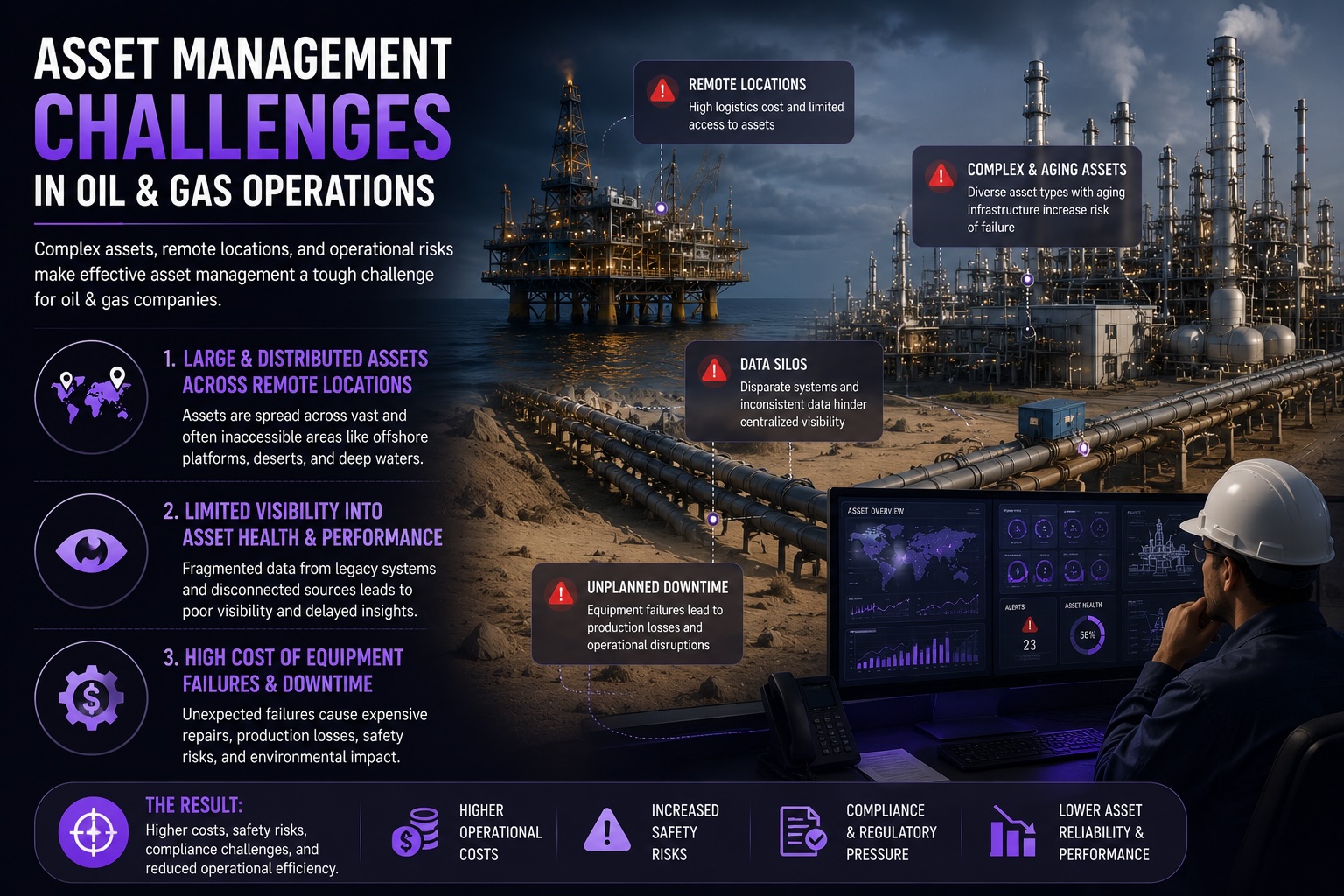
How Digital Twin in Oil & Gas Enhances Asset Management and Inspection
* [Services](/blog/digital-twin-oil-gas-asset-management-inspection) * [VR Development Service](/service/immersive-vr-app-development-for-real...